How to Configure Critical Alerts for AFib Detection
Last updated: August 24, 2026
Key Takeaways for AFib Alert Configuration
Configuring critical AFib alerts on consumer wearables helps reduce stroke risk and supports billable monitoring time under CPT codes 93298 and 99454.
Each major device platform (Apple Watch, Fitbit, Garmin, Samsung Galaxy Watch) requires specific steps to enable persistent critical alerts that bypass Do Not Disturb and battery optimization.
Consumer wearables create siloed data with no native HL7 FHIR export or CPT-compliant documentation, which increases interoperability gaps and missed-event risk.
Rhythm360 unifies multi-vendor alert streams, applies AI triage to cut false positives, and delivers bi-directional EHR integration with automated CPT capture.
Apple Watch and iPhone: Step-by-Step AFib Alert Setup
The Apple Heart Study showed that 34% of participants receiving an irregular pulse notification had atrial fibrillation confirmed on subsequent ECG patch monitoring, with 84% concordance between notifications and patch readings. You configure the underlying alert pathway on iPhone with these steps.
Open the Health app on iPhone and navigate to Browse > Heart > Irregular Rhythm Notifications.
Tap Set Up Irregular Rhythm Notifications and confirm eligibility (age 22 or older, Apple Watch Series 4 or later).
Enable AFib History under Browse > Heart > Atrial Fibrillation History to log episode burden over time.
Go to Settings > Focus > Do Not Disturb and add the Health app to the Allowed Notifications list so critical alerts bypass silent mode.
In Settings > Notifications > Health, set alert style to Persistent and enable Critical Alerts with sound override.
The Fitbit Heart Study, enrolling 455,699 participants, achieved a positive predictive value of 98% for PPG-based AF detection at population scale. You activate alerts on compatible Fitbit devices (Sense 2, Charge 6) with this sequence.
Open the Fitbit app, tap your profile icon, and select your device.
Navigate to Health Metrics > Irregular Heart Rhythm Notifications and toggle the feature on.
Accept the terms confirming the feature does not replace medical diagnosis.
In your phone’s notification settings, locate the Fitbit app and enable Allow Critical Alerts (iOS) or set notification priority to High (Android).
Disable battery saver mode on the Fitbit device, because power-saving states suppress background heart rhythm checks.
Clinical Limitations:Nonqualifying ECGs may account for up to 25% of tracings from direct-to-consumer wearables used for AF detection. Fitbit does not expose alert data via a clinical API, and episode logs are not formatted for CPT documentation or EHR ingestion without a third-party integration layer.
Troubleshooting:
Confirm the Fitbit account holder is 22 or older and the device is worn snugly on the wrist.
Sync the device manually if irregular rhythm notifications have not appeared after 24 hours of wear.
Reinstall the Fitbit app if the Irregular Heart Rhythm Notifications menu is absent.
Garmin Watches: Set Heart Rate Threshold Alerts
Hospital-based evaluation of Garmin smartwatches found a median tachycardia detection delay of 3 minutes 49 seconds compared to simultaneous medical-grade ECG. Configuring alerts in Garmin Connect reduces this latency but does not eliminate it.
Open Garmin Connect on your smartphone and select your device under Devices.
Verify Bluetooth and Wi-Fi are both active on the paired phone.
Confirm the device firmware is current via Garmin Express.
Re-enter alert thresholds after any factory reset, because thresholds do not persist through resets.
Samsung Galaxy Watch: Turn On Irregular Rhythm Alerts
Samsung Health Monitor supports irregular rhythm notifications on Galaxy Watch 4 and later. The steps below apply to the Samsung Health Monitor app paired with a Galaxy smartphone.
Install or update Samsung Health Monitor from the Galaxy Store on the watch.
Open Samsung Health Monitor on the watch, navigate to Irregular Heart Rhythm, and complete the one-time setup accepting terms of use.
In the Samsung Health phone app, go to Settings > Notifications and enable Irregular Heart Rhythm Alerts.
On the paired iPhone or Android device, grant Samsung Health Monitor Critical Alert permission (iOS) or set notification category to Urgent (Android 8+).
Disable Adaptive Battery or add Samsung Health Monitor to the Never Sleeping Apps list in Android battery settings.
Confirm the Galaxy Watch and phone share the same Samsung account.
Re-grant location permission to Samsung Health Monitor if irregular rhythm monitoring stops unexpectedly.
Restart both watch and phone if the Health Monitor app fails to launch the setup wizard.
Unify Multi-Device AFib Alerts with Rhythm360
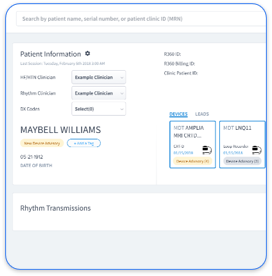
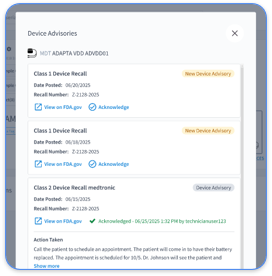
Having configured critical alerts on Apple, Fitbit, Garmin, and Samsung devices, you now face a common challenge: each device-specific configuration above produces an isolated alert stream. Fragmented data from consumer wearable apps creates data silos that prevent semantic EHR interoperability via HL7 FHIR standards, which forces clinicians to manually review unstructured data and increases the risk of missed critical events or alert fatigue. Rhythm360 resolves this by ingesting and normalizing data from all major device manufacturers, including Medtronic, Boston Scientific, Abbott, and Biotronik, alongside consumer wearable streams, into a single vendor-neutral dashboard.
The platform’s AI-powered triage layer filters non-actionable noise and prioritizes clinically significant events. A 2026 multicentre study of 445 patients with implantable loop recorders found that AI alert adjudication reduced total transmitted alert volume by 29%, releasing an estimated 185–218 hours of physiologist review time annually. Rhythm360 applies equivalent AI triage logic across both implantable and wearable data streams and functions as a virtual physiologist that preserves clinically relevant events while suppressing false positives.
Rhythm360
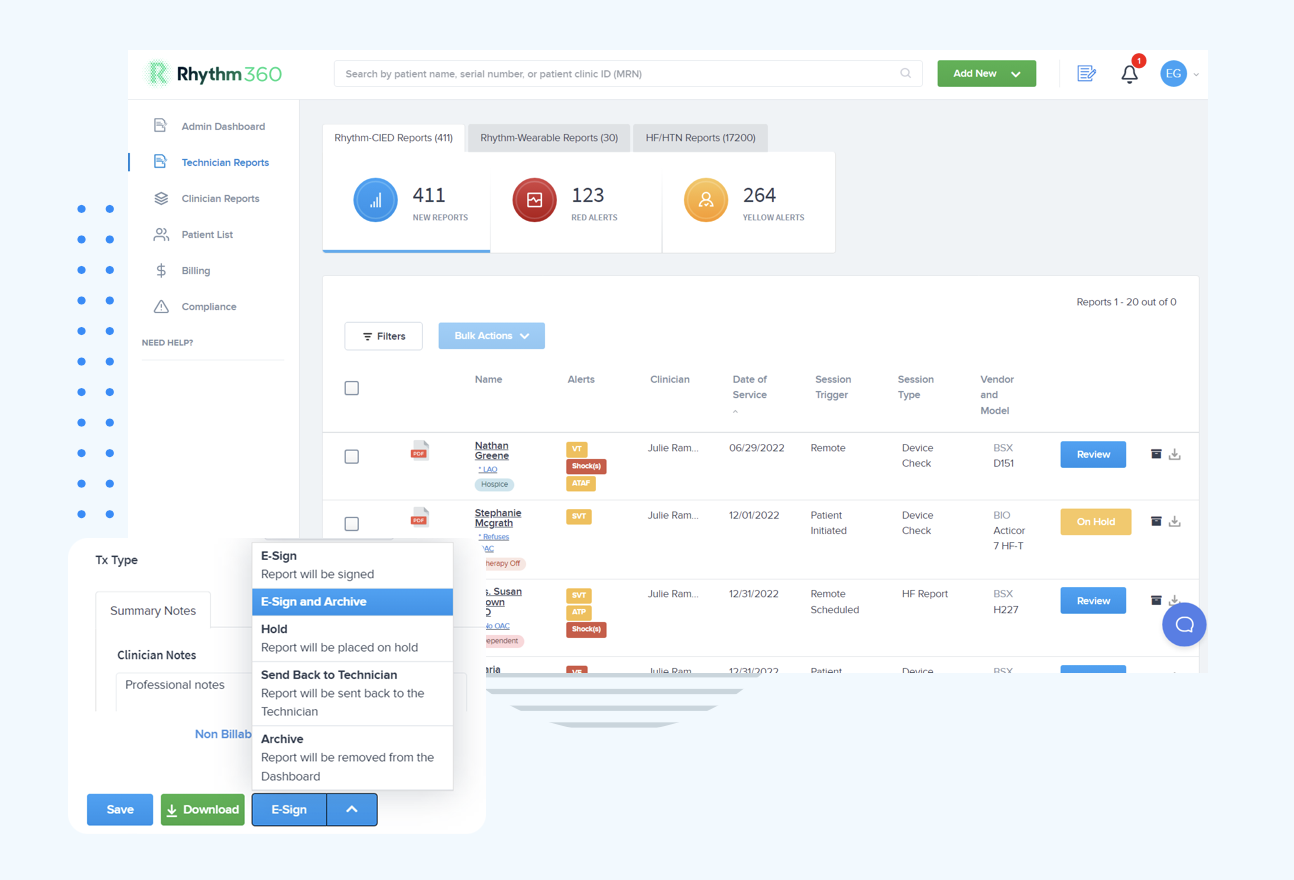
Bi-directional EHR integration with Epic, Cerner, Athenahealth, eClinicalWorks, and Greenway Health maps normalized alert data into HL7 FHIR R4 Observation and CarePlan resources, so AFib episode timing, duration, and rate data flow directly into the patient chart. CMS documentation requirements for CPT codes 93294–93298 specify that each billable event requires a dated physician interpretation, documentation of device findings, and evidence that the monitoring period meets the required interval. Rhythm360 automates this capture and reduces claim denials from manual CPT code assignment. A HIPAA-compliant mobile app allows clinicians to review transmissions, sign reports, and coordinate care from any location, including on-call weekends when a critical AFib event requires immediate anticoagulation initiation.
Alert failures that persist despite correct device-level configuration usually originate from problems with permissions, connectivity, or routing.
Permissions Verification:
Audit OS-level notification permissions for every wearable companion app quarterly, because OS updates frequently reset critical alert permissions without user notification.
Confirm Do Not Disturb bypass is re-enabled after any phone OS upgrade.
Verify that the clinical user’s EHR account has alert routing assigned to their individual inbox, not a shared unmonitored queue. Alerts should route to the assigned care team member with escalation paths that distinguish urgent events from routine review.
Redundant Feed Verification:
Confirm that the RPM platform maintains a secondary data feed in the event of OEM server downtime; Rhythm360’s redundant data feed architecture achieves greater than 99.9% transmissibility by cross-referencing API, HL7, XML, and PDF data sources.
Review transmission logs weekly to identify patients with intermittent connectivity, which indicates that AI triage alone must be paired with active connectivity management.
Set condition-specific thresholds rather than generic out-of-range flags. RPM platforms should configure condition-specific thresholds to support accurate AFib alert triage and reduce alert fatigue.
Program Results: Measuring AFib RPM Success
Two metrics define a well-configured AFib alert program: response time to critical events and revenue captured per monitored patient. Rhythm360 clients have achieved an 80% reduction in critical alert response times and up to a 300% increase in revenue through optimized CPT code capture and improved staff efficiency. The mAFA-II cluster-randomized trial demonstrated that a mobile health-guided virtual AF management intervention reduced clinical events including death and hospitalization, which underscores the outcome value of structured digital monitoring programs.
AFib patients qualify for concurrent Medicare RPM, CCM, and BHI programs, generating approximately $166–400+ per patient monthly when all three are stacked using their respective CPT codes. Practices that have established AFib monitoring workflows can layer Heart Failure and Hypertension service lines onto the same Rhythm360 infrastructure without additional portal logins or staff retraining. Quarterly audits of billing capture across RPM, CCM, and BHI codes, combined with weekly review of heart rate trends and AFib episode frequency, create an operational cadence that aligns with cardiology RPM implementation guidance.
How do I enable critical alerts on iPhone for AFib?
On iPhone, open the Health app and navigate to Browse, then Heart, then Irregular Rhythm Notifications to activate PPG-based AF screening. To ensure alerts bypass Do Not Disturb, go to Settings, then Focus, then Do Not Disturb, and add the Health app to the Allowed Notifications list. Under Settings, then Notifications, then Health, set the alert style to Persistent and enable Critical Alerts with sound override. This configuration produces consumer-grade notifications only, and episode data does not flow into the EHR without an intermediary platform such as Rhythm360 that provides bi-directional HL7 FHIR integration and CPT-compliant documentation.
How do AFib detection alerts differ across Fitbit, Garmin, and Samsung?
Fitbit Sense 2 and Charge 6 use PPG-based irregular rhythm detection with a dedicated toggle in the Fitbit app under Health Metrics. Garmin devices use heart rate threshold alerts configured in Garmin Connect rather than a dedicated AF detection algorithm cleared for clinical use, which makes them rate monitors rather than rhythm classifiers. Samsung Galaxy Watch 4 and later use the Samsung Health Monitor app to deliver irregular rhythm notifications with a setup wizard on the watch itself. All three platforms store alert data in proprietary companion apps with no native HL7 FHIR export, no CPT documentation mapping, and no escalation routing to a clinical inbox. A vendor-neutral platform is required to normalize these streams into a single actionable workflow.
What does clinical AFib alert configuration for RPM require beyond device setup?
Clinical configuration extends well beyond toggling a consumer notification. It requires setting individualized heart rate thresholds aligned to the patient’s rate-control target, with emergent alert thresholds for resting heart rate above 150 bpm or SpO2 below 90% on two consecutive readings, and urgent alert thresholds for average resting rate above 110 bpm over 48 hours. Episode timing and duration must be documented in the EHR, with new-onset or prolonged episodes exceeding 24 hours escalated to cardiology for anticoagulation assessment per 2023 ACC/AHA and 2024 ESC guideline recommendations. CPT-compliant billing for codes 93298 and 99454 requires a dated physician interpretation, documented device findings, and evidence that the monitoring interval requirement is met. Care coordinators must be trained to distinguish artifact from true arrhythmia alerts and to route data into cardiology and anticoagulation clinic workflows. Rhythm360 automates threshold management, EHR documentation, and CPT capture within a single platform.
How do I reduce alert fatigue in multi-vendor AFib monitoring?
Alert fatigue in multi-vendor environments has two primary causes: high false-positive rates from consumer PPG algorithms and fragmented notification streams that overwhelm clinical inboxes. On the algorithm side, AI-driven multi-sensor fusion combining PPG with accelerometer data reduces false positives by excluding motion artifacts and low-signal-fidelity periods. On the workflow side, alerts must route to an assigned care team member rather than a shared queue, thresholds must be condition-specific rather than generic, and escalation paths must distinguish urgent events from routine review. The AI triage approach described earlier, which reduced alert volume by 29% in clinical studies, applies across both implantable and wearable data streams. Rhythm360 applies this AI triage across all vendor data feeds, consolidates alerts into a single prioritized dashboard, and removes the need to monitor separate OEM portals.
Conclusion: Turning Wearable AFib Alerts into Clinical Action
Consumer wearables from Apple, Fitbit, Garmin, and Samsung each offer AFib detection capabilities that require deliberate configuration to function reliably in clinical environments. Each platform also carries inherent limitations: proprietary data silos, no native EHR integration, no CPT documentation mapping, and notification architectures designed for consumer convenience rather than clinical urgency. The 2024 ESC guidelines assign a Class IIa recommendation for opportunistic AF screening with wearables, while simultaneously identifying EHR integration, standardized clinical workflows, and clinician training as the three requirements for clinical translation.
Rhythm360 addresses all three requirements through vendor-neutral data ingestion from implantable and wearable sources, AI-powered triage that reduces critical response times by up to 80%, bi-directional EHR integration with automated CPT capture, and a HIPAA-compliant mobile app that keeps clinicians connected regardless of location. Other platforms in the remote cardiac monitoring space, including Murj, Implicity, Rhythm Management Group, and Octagos, address portions of this workflow. Rhythm360 is purpose-built to serve cardiology practices that need a single, auditable source of truth across their entire device ecosystem.