Last updated: September 24, 2026
See How Unified Alert Triage Works
Every configuration session starts with the right access, a clean inventory, and a clear clinical baseline for each patient.
The 2023 HRS/EHRA/APHRS/LAHRS Expert Consensus Statement on Remote Monitoring of Cardiac Implantable Electronic Devices anchors this approach. It calls for high-priority notification for lead integrity problems, device function abnormalities (battery depletion, end of service, device reset, polarity switch, out-of-range capture thresholds, abnormal lead impedance), and all ICD shock and ATP therapies. The consensus expects structured escalation protocols and individualized alert customization instead of manufacturer defaults.
Step 1 — Inventory Your Patient Panel by Manufacturer and Device Type. Build a complete list that maps each patient to their OEM portal and device category. This inventory shows which portals and menus need configuration and which CPT code cycles apply, such as 90-day for pacemakers and ICDs and 30-day for physiologic monitors and loop recorders.
Step 2 — Map Clinical Alert Categories to Each Portal’s Configuration Menu. Locate core categories in every portal: lead integrity or impedance, battery or ERI/EOS, ICD therapies (VF, sustained VT, ATP), NSVT, AFib burden, heart rate thresholds, and connectivity or transmission status. Menu structures differ across manufacturers, so the cross-OEM matrix below provides specific guidance.
Step 3 — Set Thresholds for the Highest-Stakes Categories First. Configure ventricular arrhythmias and AFib burden before lower-priority categories, because these carry the greatest immediate clinical consequence. Use patient-specific baselines instead of clinic-wide defaults.
Step 4 — Build Your Red/Yellow/Disabled Triage Protocol. Apply a single test to every alert: will this alert lead to a defined clinical action. Assign red or yellow when the answer is yes. Document rationale and suppress when the answer is no. The triage protocol section later in the article details each tier.
Step 5 — Validate Connectivity and Transmission Settings. Confirm that the transmission pathway, whether home monitor, mobile app, or cellular communicator, is active and communicating with the portal. The traditional Abbott Merlin home monitor checks in with the server every 7 days, so programming changes may take up to 7 days to take effect, while the mobile app communicates daily. Verify equivalent timing for each OEM before relying on a newly configured alert.
Step 6 — Establish a Post-Configuration Review Cadence. Tie reassessment to the rule of 3, which prompts threshold adjustment after three consecutive non-actionable alerts from the same patient. Reassess after any change in baseline, device status, or clinical status.
Remote versus in-person programming varies by OEM. Medtronic CareLink supports face-to-face programming of parameters and alerts, with remote programming available only for the LINQ II device. Boston Scientific LATITUDE allows parameters and alerts to be programmed from the LATITUDE website. Alert configuration changes in Abbott Merlin.net and Biotronik Home Monitoring occur through the portal, while device-side parameters still require in-person programming.
These tables show which alert categories each portal exposes for remote configuration and which still require in-person programming. The key pattern: Boston Scientific, Abbott, and Biotronik expose most alert categories through the portal, while Medtronic CareLink generally requires in-person programming for device-level changes except in LINQ II.
Table 1: Device Integrity Alert Categories
| Clinical Alert Category | Medtronic CareLink | Abbott Merlin.net | Boston Scientific LATITUDE | Biotronik Home Monitoring |
|---|---|---|---|---|
| Lead Integrity / Lead Impedance | In-person programming required (except LINQ II) | Device Alert; always on; cannot be programmed off. Impedance range programmable 100–3000 Ω (RA/RV/LV), 20–200 Ω (HV). | Configurable from LATITUDE website | Configurable via Home Monitoring portal |
| Battery / ERI / EOS | In-person programming required (except LINQ II) | Device Alert (ERI); always on; cannot be programmed off. | Configurable from LATITUDE website | Configurable via Home Monitoring portal |
| Device Reset / Backup Mode | In-person programming required (except LINQ II) | Device Alert (Device Reset, Backup VVI); always on; cannot be programmed off. | Configurable from LATITUDE website | Configurable via Home Monitoring portal |
Table 2: Arrhythmia and Connectivity Alert Categories
| Clinical Alert Category | Medtronic CareLink | Abbott Merlin.net | Boston Scientific LATITUDE | Biotronik Home Monitoring |
|---|---|---|---|---|
| ICD Therapies (VF, Sustained VT, ATP) | In-person programming required (except LINQ II) | Clinical Alert; configurable priority (red/yellow) via DirectAlert Notifications | Configurable from LATITUDE website | Configurable via Home Monitoring portal |
| NSVT | In-person programming required (except LINQ II) | Clinical Alert; configurable via DirectAlert Notifications | Configurable from LATITUDE website | Configurable via Home Monitoring portal |
| AFib Burden / AT/AF | In-person programming required (except LINQ II) | Clinical Alert; continuous time in AT/AF programmable 6 min–24 hr (nominal 3 hr); high V rate threshold 90–200 bpm (nominal 100 bpm). | Configurable from LATITUDE website | Configurable via Home Monitoring portal |
| Heart Rate Thresholds | In-person programming required (except LINQ II) | Clinical Alert; configurable via DirectAlert Notifications | Configurable from LATITUDE website | Configurable via Home Monitoring portal |
| Connectivity / Transmission | Monitored via CareLink; alerts on missed transmissions | Disconnected status shown on Merlin.net after programmable number of missed days. | Monitored via LATITUDE website | Monitored via Home Monitoring portal |
Every alert in a device clinic’s configuration belongs in one of three tiers based on a single test: will this alert lead to a defined clinical action.
Red Tier — Non-Disableable or Life-Threatening Events. These alerts always notify and always trigger immediate clinical response. Categories include:
Yellow Tier — Clinically Significant but Not Immediately Life-Threatening. These alerts route to scheduled review within a defined window. Categories include:
Disabled Tier — Non-Actionable or Duplicative Notifications. Suppress these alerts with documented rationale. Examples include RV% pacing alerts in high-pacing-burden patients and AFib burden alerts in patients already on therapeutic anticoagulation when the alert no longer changes management. The British Heart Rhythm Society advises disabling AT/AF episode or burden alerts if the patient is on or starts anticoagulation, while leaving the high ventricular rate threshold active for rate control management.
In Abbott Merlin.net, both red and yellow alerts trigger a download, and the color orders alerts for the viewer by placing red alerts above yellow ones. Priority assignment therefore shapes the clinician’s queue order as well as the notification label.
The red tier above assumes the clinician can choose to keep an alert active. Some alerts remove that choice because the device locks them on for safety.
Abbott Device Alerts such as Device Reset, Backup VVI, lead impedance out of range, and ERI stay on in the device and cannot be programmed off. These alerts represent core implantable system functions where suppression would create unacceptable patient safety risk.
A critical device-side rule applies across all manufacturers. If an alert is disabled on the device itself, it never triggers a download regardless of portal settings. Portal configuration and device programming must align, because any mismatch creates a silent gap in monitoring.
Abbott’s Merlin.net prevents degrading the importance of some alerts directly related to serious conditions or setting them to off as a safety function. This design choice reflects manufacturer policy rather than a portal limitation.
Medtronic CareLink allows face-to-face programming of parameters and alerts, with remote programming possible only for the LINQ II device. Boston Scientific LATITUDE allows parameters and alerts to be programmed from the LATITUDE website. Clinics managing Medtronic patients outside the LINQ II platform schedule in-person visits to change device-level alert parameters.
Alert thresholds for AFib burden and ventricular arrhythmias work best when calibrated to each patient instead of using static clinic-wide defaults.
Ventricular Arrhythmias. Prioritize VF and sustained VT and configure these for immediate clinical assessment. Use caution before broadly disabling NSVT notifications. Increases in out-of-spec NSVT or ventricular extrasystoles matter especially in patients with impaired left ventricular function or heart failure, where these findings may signal deterioration that needs intervention. In these patients, NSVT alerts belong in the yellow tier instead of the disabled tier.
AFib Burden. The consensus recommends alerting when atrial high-rate episode duration or rate exceeds a predefined threshold rather than a one-size-fits-all default. AF lasting 6 minutes or longer is a relevant threshold in cryptogenic stroke, with lower thresholding for higher-risk groups. A 2026 study in the European Heart Journal: Acute Cardiovascular Care found that higher AFib burden detected by CIEDs is associated with more heart failure alerts and more device therapy delivery, which reinforces burden-based thresholds as clinically meaningful.
Patient-Baseline-Relative Approach. Set high and low heart rate notifications relative to the individual patient’s baseline rather than a static clinic-wide number. A resting rate of 55 bpm is normal for one patient and bradycardic for another.
Abbott-Specific Threshold Parameters. Abbott’s continuous time in AT/AF is programmable from 6 minutes to 24 hours, with a nominal of 3 hours. The high ventricular rate threshold is programmable from 90–200 bpm, with a nominal of 100 bpm. The same clinical intent, which is to alert when AFib burden exceeds a meaningful threshold, maps to different menu structures in each portal. In Boston Scientific LATITUDE and Biotronik Home Monitoring, equivalent parameters are accessible from the portal website. In Medtronic CareLink, threshold changes for most devices still require in-person programming.
Enabling a critical alert requires aligned action in the portal and on the device. This sequence applies across manufacturers.
In Merlin.net, both red and yellow alerts trigger a download, and the color orders alerts for the viewer by placing red alerts above yellow ones. Enabling an alert at the yellow level still generates a transmission and simply positions that alert below red-tier events in the clinician’s queue.
False positives remain a structural challenge in CIED remote monitoring. A cross-manufacturer analysis presented at the 2026 EHRA Congress examined 2,659 rhythm episodes from 1,710 patients with ICMs from Medtronic, Biotronik, Abbott, and Boston Scientific and found that even in AI-equipped devices, 32.9% of episodes were non-actionable and 30.6% were indeterminate. A structured approach can cut this noise while preserving critical signals.
Red-tier alerts stay active even when they generate noise. When a red-tier alert produces non-actionable transmissions, respond with threshold adjustment or in-person device evaluation rather than suppression.
A device clinic that manages patients across Medtronic, Abbott, Boston Scientific, and Biotronik executes the same configuration discipline inside four separate portals. That discipline, which includes inventory, threshold-setting, triage assignment, connectivity validation, and review cadence, looks different in each portal because every system has its own menu structure, lockable-alert rules, and transmission schedule. Other platforms in this space, including Murj, Implicity, Rhythm Management Group, and Octagos, address portions of this workflow, while Rhythm360 treats it as a unified operational discipline.
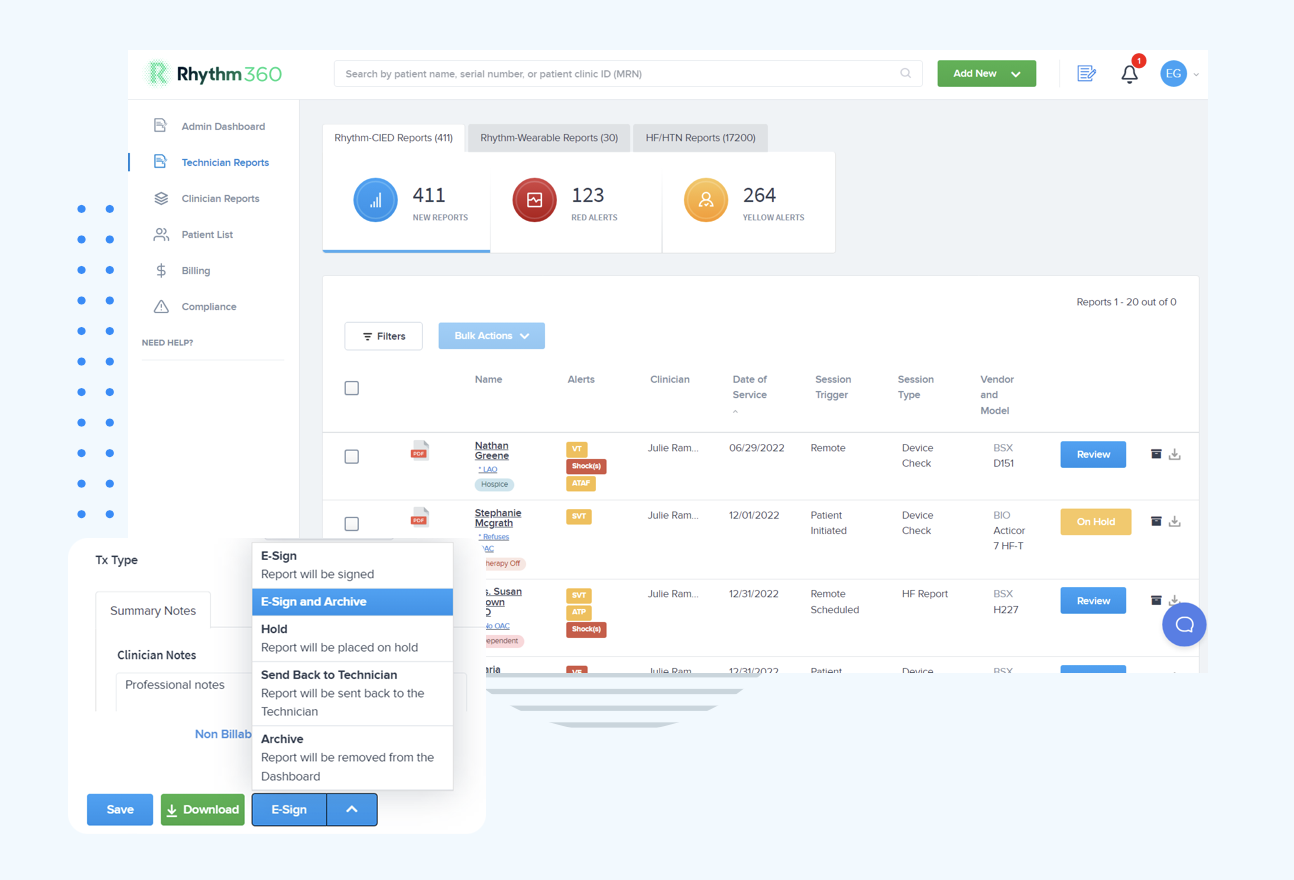
Rhythm360 provides a single source of truth that unifies implantable and wearable cardiac device data across every manufacturer. Its AI-powered alert triage filters non-actionable noise and prioritizes clinically significant events. Optional 24/7/365 oversight by certified cardiac technicians ensures that critical alerts reach a qualified reviewer regardless of arrival time. Practices using Rhythm360 reduce response times for critical alerts by up to 80% and can capture up to 300% more revenue through optimized billing documentation.
Explore Rhythm360 for Multi-OEM Workflows
CIED alert configuration functions as an ongoing discipline rather than a one-time task. The 2023 HRS/EHRA/APHRS/LAHRS consensus expects structured escalation protocols and notes that alerts often remain insufficiently customized, which creates unnecessary noise while critical alerts go underused.
A defensible CIED alert configuration review cadence uses clear triggers.
Mistake: Suppressing a Red-Tier Alert to Reduce Noise. Red-tier alerts such as VF, sustained VT, ICD shock, lead malfunction, and ERI stay active regardless of false-positive history. When a red-tier alert generates non-actionable transmissions, the appropriate response involves threshold adjustment or in-person device evaluation. Rhythm360’s centralized dashboard surfaces patterns of non-actionable red-tier alerts so clinicians can identify and address the root cause.
Mistake: Setting Thresholds Without a Patient Baseline. A clinic-wide default threshold creates noise for patients whose baseline differs from the population mean and misses events in patients whose baseline already sits near the threshold. Document each patient’s baseline before configuring any threshold. Rhythm360’s unified patient record aggregates historical transmission data to support baseline-relative threshold decisions.
Mistake: Failing to Validate Connectivity. A perfectly configured alert loses value when the transmission pathway is broken. A 2024 analysis found that 14% of patients with active CIED transmissions had interrupted connectivity. Rhythm360’s redundant data feeds and AI-powered connectivity monitoring flag transmission gaps before they become missed critical events.
Mistake: Relying on a Single Super-User. When alert configuration knowledge lives in one person, staff turnover or absence creates immediate patient safety risk. A centralized platform with documented configuration logic and role-based access distributes that knowledge across the team and supports business continuity.
A well-configured CIED alert program shows consistent behavior across red, yellow, and disabled tiers.
Practices using Rhythm360 achieve up to an 80% reduction in critical alert response times and up to a 300% increase in revenue capture through optimized CPT code documentation. Those outcomes come from applying a consistent configuration discipline across every manufacturer in the panel.
Consolidating Alert Management Across OEMs. The operational ceiling for manual multi-portal alert management arrives quickly as panel size grows. A vendor-neutral layer that normalizes alert data from all manufacturers into a single queue removes per-portal context-switching and reduces both alert fatigue and missed events.
Integrating Alert Data into the EHR. Alert configuration becomes most defensible when alert events, clinical responses, and threshold changes flow directly into the patient’s chart. Rhythm360 offers bi-directional EHR integration with Epic, Cerner, Athenahealth, eClinicalWorks, and Greenway Health, so remote monitoring data enriches the chart instead of living in a separate silo. Onboarding, including EHR integration setup, typically takes a few days to a few weeks.
Extending the Protocol to HF and HTN Remote Physiological Monitoring. The same triage logic, including red or yellow tiers, patient-baseline-relative thresholds, and the rule of 3, applies to heart failure and hypertension remote physiological monitoring. Rhythm360’s integrated HF and HTN service line allows clinics to apply a consistent alert configuration discipline across both CIED and chronic disease monitoring programs.
Certain alerts are locked at the device level and cannot be suppressed through portal configuration. In Abbott devices, Device Alerts such as Device Reset, Backup VVI, lead impedance out of range, and ERI remain on and cannot be programmed off, reflecting a manufacturer safety constraint. Across all manufacturers, an alert disabled on the device never triggers a download regardless of portal settings. Clinics should treat device-integrity and life-threatening arrhythmia alerts as non-negotiable red-tier events in every portal.
Programming flexibility varies by manufacturer and device type. Boston Scientific LATITUDE allows parameters and alerts to be programmed from the LATITUDE website. Abbott Merlin.net alert priority and notification settings are configurable through the portal’s DirectAlert Notifications menu. Medtronic CareLink requires face-to-face programming for most devices, with remote programming of parameters, alerts, and notifications available only for the LINQ II device. Biotronik Home Monitoring supports portal-based alert configuration. Device-side parameters, as distinct from portal notification settings, generally require in-person programming except where explicitly noted. Rhythm360 tracks which patients require in-person visits for threshold changes so configuration gaps do not linger.
A patient typically has one implanted CIED at a time, so the multi-manufacturer challenge appears at the panel level rather than the single-patient level. The configuration discipline of inventory, threshold-setting, triage assignment, connectivity validation, and review cadence must run consistently across every OEM portal in the clinic’s panel. Each portal uses different menu structures, lockable alerts, and transmission schedules, which makes a vendor-neutral platform that consolidates alert management into a single workflow operationally essential for mixed-panel clinics. Rhythm360 provides that unified layer so staff can apply a consistent triage protocol regardless of which manufacturer’s portal generated the underlying data.
Alert settings deserve review whenever a patient’s clinical baseline changes, including new heart failure diagnosis, change in LV function, initiation or discontinuation of anticoagulation, or new arrhythmia. Device status changes such as battery reaching ERI or lead parameter drift also trigger a full alert review. The rule of 3 offers an ongoing signal, because three consecutive non-actionable alerts from the same category in the same patient indicate that the threshold needs adjustment. Periodic review should align with each device type’s transmission cycle. The 2023 HRS/EHRA/APHRS/LAHRS consensus notes that alerts often remain insufficiently customized, so active reassessment becomes a clinical and operational priority.
Configuring critical alerts in cardiac remote monitoring functions as a continuous, cross-OEM operational discipline that begins at enrollment and continues throughout the device life. This discipline requires consistent threshold logic, a defensible triage protocol, validated connectivity, and a structured review cadence executed across Medtronic CareLink, Abbott Merlin.net, Boston Scientific LATITUDE, and Biotronik Home Monitoring, each with its own menu structures, lockable alerts, and remote programming constraints.
Fragmented OEM portals and inconsistent alert configuration create conditions for both missed critical events and alert fatigue. Rhythm360 addresses that fragmentation with a single vendor-neutral platform that unifies CIED data, applies AI-powered alert triage, and offers optional 24/7/365 oversight by certified cardiac technicians. Clinics then extend the configuration discipline described above into daily practice and realize the response-time and revenue gains noted earlier.
Talk With Rhythm360 About Your Alert Workflow