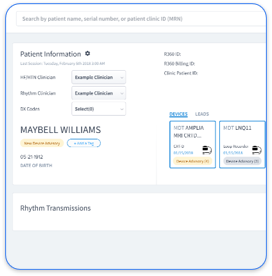
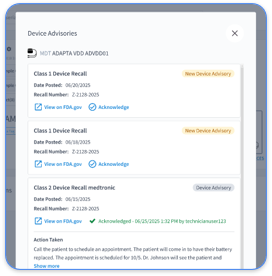
PaceMate operates as Medtronic's proprietary cloud platform for remote CIED monitoring. It replaces legacy systems like PaceArt with modern web-based functionality. The system connects patient home monitors to clinical workstations through secure internet transmission. This connection allows practices to review device data without requiring patients to visit the clinic for routine checks.
PaceMate focuses on Medtronic devices and supports pacemakers, ICDs, CRT devices, and implantable loop recorders. It provides automated data collection, basic alert filtering, and report generation for these devices. The platform acts as an intermediary between patient devices and clinical decision-making. It processes thousands of transmissions daily and attempts to filter clinically relevant events from routine device maintenance data.
Many episodes still prove non-actionable, even with AI-equipped devices. This pattern highlights ongoing industry-wide challenges with alert accuracy and meaningful triage.
PaceMate's remote monitoring process follows a standardized five-step workflow that automates data collection and clinical review.
Step 1: Automated Wireless Data Transfer - Patient home monitors automatically collect device data during scheduled transmissions or triggered events. The monitors connect through cellular or WiFi networks and transmit encrypted data packets to PaceMate's cloud servers. These packets contain device diagnostics, arrhythmia episodes, and battery status information.
Step 2: Data Ingestion into PaceMateLIVE Dashboard - Transmitted data populates the PaceMateLIVE web portal. Clinical staff access patient information through a centralized interface. The system organizes transmissions by priority level, patient population, and clinical urgency. This structure supports more efficient review workflows.
Step 3: Auto-Triage Filtering - PaceMate's algorithms analyze incoming transmissions and categorize events as routine, urgent, or critical based on predefined clinical parameters. The system attempts to reduce alert volume by filtering non-actionable transmissions. Despite these automated filtering capabilities, the alert accuracy challenges discussed later in this article still occur, even with advanced AI algorithms.
Step 4: EHR Integration - Processed reports can be exported or integrated with electronic health record systems through HL7 messaging or manual data entry. This step enables clinical documentation and maintains continuity with existing patient records. Integration capabilities vary by EHR vendor and by implementation complexity.
Step 5: Billing Documentation Generation - The platform generates reports that support CPT code billing for remote monitoring services. This includes documentation for 93298 (technical component) and 93299 (professional component). Many practices still struggle with complete revenue capture because of workflow gaps and incomplete documentation processes.
Schedule a demo to see how Rhythm360 streamlines each step of this workflow and removes many of these operational barriers.
PaceMate uses algorithmic filtering to prioritize clinically significant events and reduce the volume of non-actionable alerts that reach clinical staff. The system analyzes device-detected episodes against predefined clinical criteria. It then categorizes transmissions based on arrhythmia type, device function parameters, and patient-specific settings configured during device programming.
Significant challenges with alert accuracy still persist despite these automated filtering capabilities. The triage system attempts to distinguish between genuine clinical events that require intervention and routine device maintenance alerts. However, interpretation varies across device platforms and guideline definitions are not consistently applied. Physicians often struggle to quickly determine which events truly require clinical attention.
This inconsistency becomes even more problematic in multi-vendor environments. PaceMate's single-vendor focus limits its ability to apply consistent triage logic across multi-manufacturer device populations. Practices that manage devices from multiple OEMs experience workflow fragmentation and must juggle different alert behaviors and thresholds.
PaceMate identifies billable remote monitoring transmissions and generates documentation that supports CPT code compliance. The system tracks transmission frequency, clinical review completion, and patient communication requirements for billing codes 93298 and 93299. These features help practices align daily workflows with billing rules.
The platform also maintains audit trails for billing compliance. It documents when transmissions are received, reviewed, and acted upon by clinical staff. This documentation supports the 30-day monitoring periods required for remote monitoring billing. It also helps practices demonstrate medical necessity for covered services.
Billing automation effectiveness depends on complete workflow integration and consistent staff documentation. Practices often experience revenue leakage when clinical actions are not recorded within the platform. Multi-vendor workflows can also create gaps in billing capture across different device populations.
PaceMate's billing features work best when practices maintain consistent documentation habits and complete all required clinical review steps within the platform's workflow structure. When staff skip steps or document actions outside the platform, the system cannot capture the full audit trail. This incomplete documentation causes two main problems: missed billing opportunities for services that occurred but were not documented, and compliance risks during audits when reviewers cannot verify that billing requirements were met.
PaceMate includes patient concierge services that address home monitor connectivity issues and support continuous data transmission. When monitors lose cellular or WiFi connectivity, the system generates alerts for clinical staff and dedicated patient support representatives. These representatives contact patients and troubleshoot connection problems.
The concierge team provides technical support for monitor setup, network configuration, and device positioning to improve transmission reliability. This support includes educating patients on monitor placement, charging requirements, and troubleshooting common connectivity issues. The team also coordinates monitor replacements when hardware failures occur and reinforces the importance of consistent transmission schedules.
The system tracks transmission compliance and generates reports that highlight patients who may need additional support or intervention. These reports help clinics focus outreach on patients at higher risk for monitoring gaps.
Connectivity issues can still create silent gaps in patient monitoring that may not be immediately obvious to clinical staff. These gaps become particularly concerning when critical events occur during periods of lost connectivity. In those situations, delayed clinical interventions can compromise patient safety.
Real-world implementation of remote CIED monitoring exposes persistent operational challenges that affect clinical efficiency and patient care quality. Andrew Beaser, MD, Associate Professor of Medicine at University of Chicago Medicine, described pre-implementation workflows as "a major challenge and incredibly difficult" when managing fragmented multi-vendor systems.
Alert fatigue places a heavy burden on clinical staff who manage high-volume remote monitoring programs. Every episode flagged by an implantable cardiac monitor must be reviewed by a clinician, yet even devices equipped with manufacturer AI algorithms still generate a substantial number of non-actionable alerts, according to Niraj Varma, MD, PhD, at Cleveland Clinic.
Staffing challenges compound these operational difficulties. Gaurav A. Upadhyay, MD, at University of Chicago Medicine, noted that "staffing was always an issue for our center, because our device clinic—like many other medical centers—had struggled with technician turnover and timely weekend coverage".
Multi-OEM fragmentation adds further complexity when practices manage devices from multiple manufacturers. Single-vendor platforms like PaceMate require clinical staff to log into separate portals for different device types. This approach creates data silos and increases administrative burden. Fragmentation becomes especially problematic during urgent clinical situations when teams need rapid access to complete patient data.
Revenue leakage occurs when billing documentation requirements are not consistently met across fragmented workflows. Practices often miss billable events or fail to capture complete documentation for CPT code compliance. These gaps result in rejected claims and lost revenue opportunities.
Schedule a demo to see how Rhythm360 replaces these fragmented processes with a unified, vendor-neutral workflow.
PaceMate's single-vendor architecture limits practices to Medtronic device management and requires separate portal access for Boston Scientific, Abbott, and Biotronik devices. This structure creates operational inefficiencies and data silos. It also complicates clinical decision-making when patients have devices from multiple manufacturers.
Rhythm360 delivers vendor-neutral data aggregation across all major CIED manufacturers through a unified platform architecture. University of Chicago Medicine reviewed more than 73,000 reports annually through Rhythm360 in calendar year 2025, which demonstrates scalable performance in high-volume clinical environments.
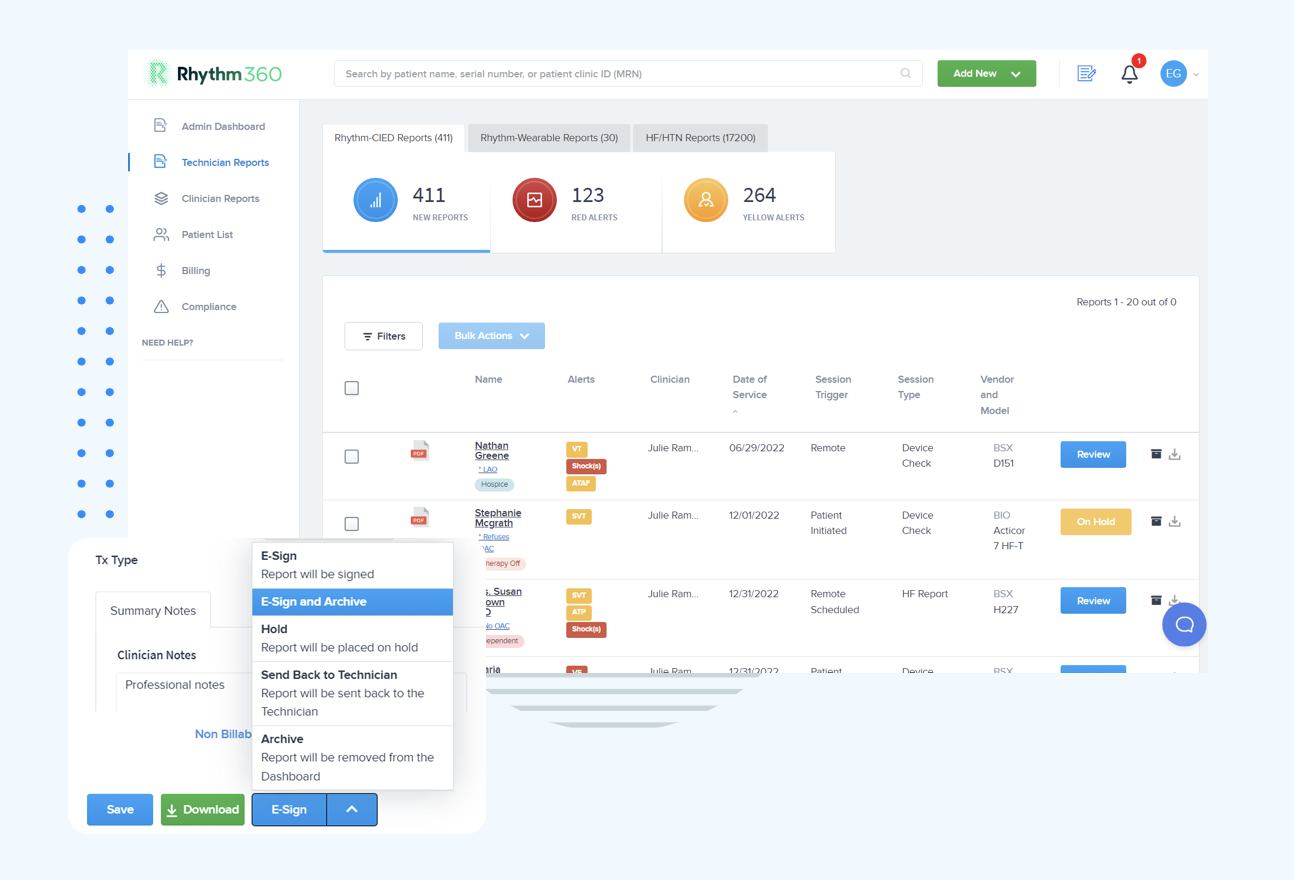
Data transmissibility represents a critical differentiator between platforms. Rhythm360 achieves greater than 99.9% transmissibility through redundant data feeds, computer vision parsing, and AI-powered data extrapolation. These capabilities help capture data even when primary transmission pathways fail. PaceMate's reliance on single-vendor connectivity can create gaps when Medtronic's servers experience downtime or connectivity issues.
Clinical response times also differ between platforms. Andrew Beaser, MD, at University of Chicago Medicine, explained that with Rhythm360, "we are able to address these issues earlier; rather than waiting for a 3-month visit, we can call patients in for evaluation". Rhythm360 reduces critical alert response times by up to 80% through AI-powered triage and 24/7 certified cardiac technician oversight.
Revenue impact shows another clear difference between single-vendor and vendor-neutral approaches. Gaurav A. Upadhyay, MD, at University of Chicago Medicine, observed that "we have improved billing and accountability for our patients after the integration" with Rhythm360. Practices using Rhythm360 report up to 300% increases in revenue capture through more complete CPT code documentation and automated billing workflows.
Mobile accessibility provides an additional operational advantage. Rhythm360's HIPAA-compliant mobile application allows clinicians to review transmissions, sign reports, and coordinate care from smartphones. This access supports continuity during on-call coverage. PaceMate's web-based interface requires desktop access and limits flexibility for urgent clinical responses outside traditional office hours.
PaceMate implementation for Medtronic-only environments typically requires 2 to 4 weeks for basic setup. This period includes staff training and EHR integration configuration. Practices that manage multi-vendor device populations must implement separate systems for each manufacturer. That approach can extend total deployment time to 8 to 12 weeks or longer.
Vendor-neutral platforms like Rhythm360 consolidate all manufacturers into a single implementation process. Most practices complete full deployment within 2 to 3 weeks regardless of device portfolio complexity. The unified approach removes redundant training requirements and simplifies ongoing maintenance across the entire CIED population.
Remote monitoring platforms use multiple layers of data protection. These layers include end-to-end encryption during transmission, HIPAA-compliant cloud storage with role-based access controls, and audit logging for all user activities. Data centers maintain SOC 2 Type II certification and undergo regular penetration testing to identify potential vulnerabilities.
Patient data remains encrypted both in transit and at rest. Access is restricted to authorized clinical personnel through multi-factor authentication. Platforms also use automatic session timeouts and device-level security controls to reduce the risk of unauthorized access to patient information.
AI triage algorithms analyze multiple data points, including arrhythmia type, duration, heart rate parameters, and patient-specific clinical history. They use these inputs to prioritize alerts. The systems compare detected episodes against established clinical guidelines and patterns learned from large datasets of verified clinical outcomes.
Algorithm performance varies significantly across platforms and device types. Critical events such as sustained ventricular tachycardia, new-onset atrial fibrillation, and device malfunctions usually receive the highest priority classification. Routine diagnostic data and many false positives are filtered to reduce alert volume. Advanced platforms use machine learning to improve accuracy over time based on clinical feedback and outcome data.
Remote monitoring billing requires documentation of 30-day monitoring periods, clinical review of all transmissions, and patient communication when clinically indicated. Practices must demonstrate medical necessity through proper diagnosis coding. They also need audit trails that show when transmissions were received, reviewed, and acted upon by qualified clinical personnel.
CPT codes 93298 and 93299 require specific documentation elements. These elements include transmission frequency, clinical interpretation, and any resulting changes to patient care plans. Platforms must generate compliant reports that support these requirements and provide audit trails for payer reviews or compliance audits.
Comprehensive remote monitoring programs maintain 24/7 coverage through on-call physician rotations, certified cardiac technician services, and automated escalation protocols. Critical alerts typically route to on-call clinicians through secure messaging, phone calls, or mobile applications that support immediate review and response.
Some platforms offer optional 24/7 monitoring services with trained technicians who perform initial triage and contact physicians only for truly urgent events. Escalation protocols ensure that life-threatening arrhythmias and device malfunctions receive immediate attention at any time. Clear communication pathways connect monitoring services, on-call physicians, and emergency departments when needed.
Choosing a remote monitoring solution requires careful evaluation of your practice's device portfolio, workflow requirements, and growth objectives. Single-vendor platforms like PaceMate work well for practices that use only Medtronic devices. They create operational complexity when practices manage multi-manufacturer populations.
Key evaluation criteria include data transmissibility rates, alert accuracy, EHR integration capabilities, mobile accessibility, and billing automation features. Practices should also assess whether platforms can scale with growing patient populations and support future device acquisitions from different manufacturers.
Vendor-neutral platforms offer strategic advantages for practices that want greater operational efficiency and stronger revenue performance. Managing all CIED types through a unified interface reduces training requirements and removes workflow fragmentation. It also provides comprehensive patient visibility regardless of device manufacturer.
Focus on platforms that deliver measurable improvements in clinical response times, revenue capture, and operational efficiency. Andrew Beaser, MD, at University of Chicago Medicine, noted that decision support, including AI-assisted decision support, will become increasingly important as data volumes grow.
Schedule a demo to see how Rhythm360, a vendor-neutral AI-powered platform, can improve your practice's clinical efficiency and revenue performance.