Last updated: July 13, 2026
HL7 International launched the Caliper FHIR Accelerator in March 2026 to create standardized FHIR profiles for real-time medical device data integration, aligned with IEEE 11073 and IHE integration profiles. For CIED programs, relevant FHIR resources include Device for the implantable defibrillator or pacemaker, Observation for discrete measurements such as heart rate or impedance, and Endpoint for technical connection details for each OEM feed.
Healthcare organizations that implement FHIR report a 40–60% reduction in integration costs and significantly lower maintenance costs compared with legacy HL7 v2 point-to-point interfaces. Bi-directional connectivity keeps records synchronized because the EHR can push patient demographic updates back to the monitoring platform without manual reconciliation.
The most common architecture routes CIED data from OEM servers through an integration engine, such as Mirth Connect or Redox, that translates proprietary formats to HL7 v2 or FHIR for delivery to EHR systems like Epic or Cerner. Rhythm360 operates as that integration layer and abstracts OEM-specific formats so the EHR receives a single, normalized data stream regardless of device manufacturer.
See Rhythm360's bi-directional FHIR connectivity in action for your Epic or Cerner environment.
Begin by producing a complete inventory of every OEM portal the practice uses and every EHR endpoint that will receive device data. For each portal, document the manufacturer, portal URL, data export format such as API, HL7, XML, or PDF, transmission frequency, and the clinical owner responsible for each feed so Step 3 can configure the correct ingestion method.
At the same time, catalog the EHR's existing inbound interfaces. Identify which HL7 message types are active, which FHIR endpoints are exposed, and what patient identifier fields each interface expects. Comparing these two inventories reveals which data formats the integration layer must translate and where additional interfaces are required.
This inventory also surfaces redundancy risks. If a practice relies on a single OEM server connection with no failover, a server outage creates a data gap that may not be detected until a transmission review cycle. Documenting these single points of failure now informs the redundancy configuration in later steps.
Field mapping aligns OEM data with the EHR so every transmission lands in the correct place. Map each OEM data field to its corresponding EHR field, including patient MRN, device serial number, alert type, alert severity, transmission timestamp, and the responsible clinician's NPI.
IHE PCD integration profiles, including PCD-01 for device observations and PCD-02 for alert communication, connect medical devices to EHRs by combining HL7 and DICOM standards. These profiles provide a reference schema for this mapping exercise. When OEM fields do not map cleanly to EHR fields, document the transformation rule explicitly so the ingestion engine can apply it consistently.
Alert-priority fields require special attention. OEM portals use inconsistent severity taxonomies, so one manufacturer may label an event urgent while another labels an equivalent event red. Normalizing these labels to a single internal priority scale is essential before routing begins and is addressed in detail in Step 5.
This step deploys the ingestion engine that connects all OEM feeds to the integration layer. Rhythm360 supports four ingestion methods to accommodate every data format encountered in multi-OEM environments:
The computer-vision layer is particularly important for practices with legacy device populations. Instead of manual transcription of PDF reports, Rhythm360 uses optical character recognition and AI-assisted field extraction to convert unstructured documents into structured, queryable records. This approach removes a common source of transcription error and prepares data for automated triage in the next step.
A device clinic processes thousands of transmissions annually, and many are clinically non-relevant. Without automated triage, clinical staff spend most of their review time on non-actionable notifications, which drives alert fatigue and increases the risk of missing a genuinely critical event.
Rhythm360's AI triage engine applies clinical-grade filters to every incoming alert, classifies events by severity, and routes them to the appropriate workflow. Critical alerts such as ventricular fibrillation, lead malfunction, and ERI or RRT indicators are escalated immediately, while routine transmissions are queued for scheduled review. AI-driven triage platforms reduce alert fatigue and deliver an 80% reduction in critical response times while maintaining greater than 99.9% data transmissibility.
Redundant data feeds are configured at this step to protect transmissibility. If an OEM server experiences downtime, Rhythm360's failover architecture pulls from secondary data sources, including cached transmissions and AI-assisted extrapolation, to maintain continuity. As Andrew Beaser, MD, Associate Professor of Medicine at the University of Chicago Medicine, observed after implementing Rhythm360, "Decision support, including AI-assisted decision support, will become increasingly important as data volumes grow."
EHR routing rules are configured here as well. Each alert priority level maps to a specific EHR workflow. A critical alert may generate an in-basket message to the on-call EP, while a routine transmission generates a documentation task for the device technician's next review session.
Data normalization converts OEM-specific field values into a single internal schema. Alert severity labels, device type codes, and measurement units are standardized so that a query for critical alerts this week returns results from all manufacturers in a consistent format.
Patient matching represents the highest-risk component of this step. Accurate patient matching is critical when integrating multi-OEM CIED data because a matching failure means a critical alert from one OEM portal is not linked to the correct patient record in the EHR. That failure creates both a patient safety risk and a billing failure.
Rhythm360 applies a hybrid deterministic and probabilistic matching approach. A robust patient-matching process includes seven core steps: capture and verify demographics at registration, standardize and normalize data, index records in an enterprise Master Patient Index, apply matching algorithms, resolve ambiguous cases via human review, consolidate into a golden record using survivorship rules, and steward ongoing quality through metrics monitoring and threshold tuning. Rhythm360 encodes these steps into its normalization pipeline, and ambiguous matches are routed to human review rather than auto-resolved.
Optional 24/7 oversight by Rhythm360's certified cardiac technicians, or CCTs, is available at this step. CCTs supervised by physicians review flagged transmissions, validate patient matches, and escalate clinical findings, which provides a human-in-the-loop layer that complements automated normalization. Gaurav A. Upadhyay, MD, FACC, FHRS, at the University of Chicago Medicine, noted, "That was a big piece for us, to have an integrated review of data from trained personnel."
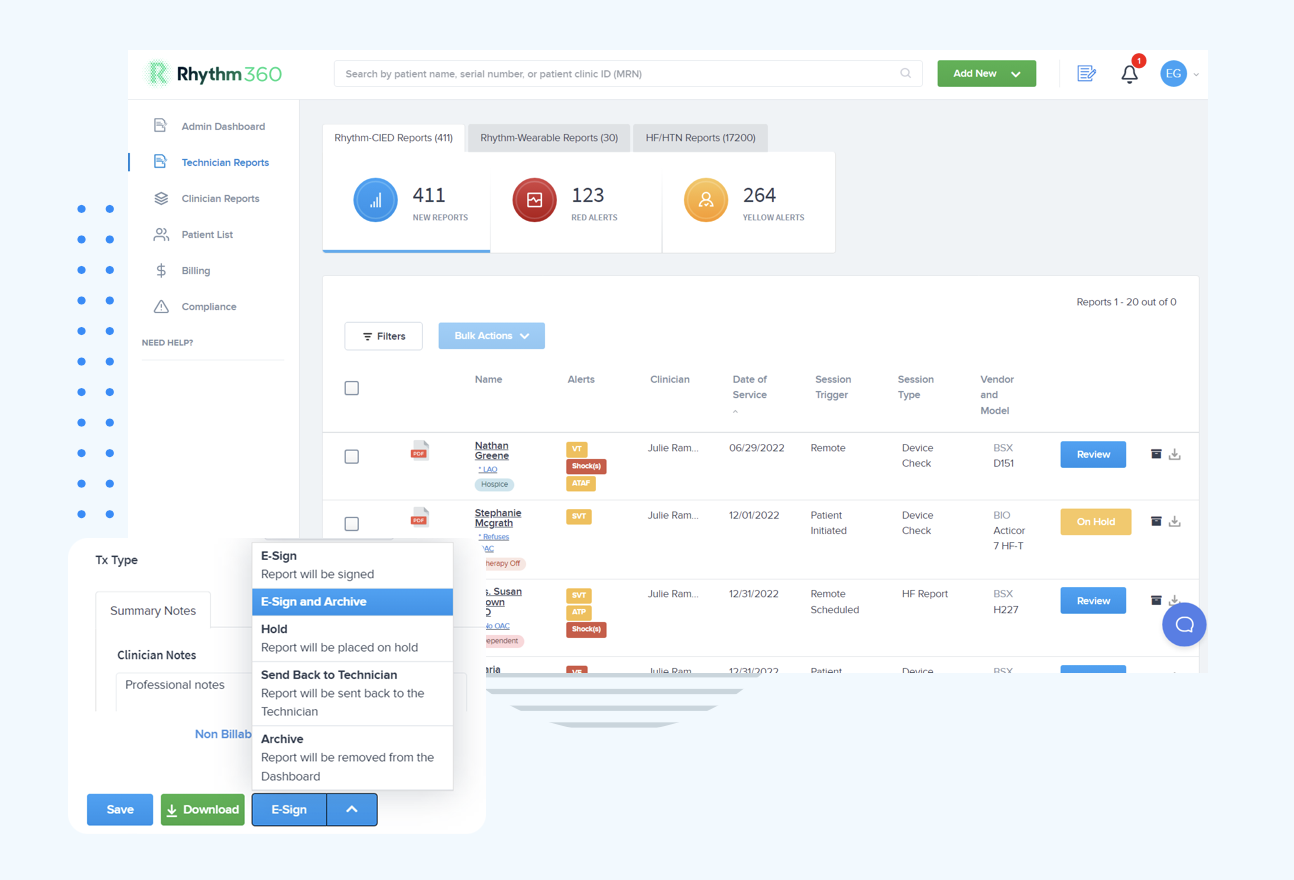
Once ingestion and triage are live, continuous connectivity monitoring ensures that data gaps are detected and resolved before they affect patient care. Rhythm360's administrative dashboard surfaces the transmission status of every OEM feed in real time and flags feeds that have not delivered data within their expected interval.
Connectivity monitoring tracks three dimensions:
Organizations should enable HTTP Strict Transport Security to enforce secure connections and audit internal service-to-service communication to ensure all traffic is encrypted. These practices support reliable data transmissibility across all connected feeds. Connectivity dashboards should be reviewed at the start of each clinical day and configured to generate automated alerts when a feed goes silent beyond a defined threshold.
The University of Chicago Medicine's experience illustrates the scale this monitoring must support. UCM reviewed more than 73,000 reports annually through Rhythm360 in calendar year 2025, averaging more than 18,000 reports per quarter. At that volume, manual connectivity checks are not operationally viable, so automated status monitoring becomes a clinical necessity.
Integration governance assigns ownership for each component of the automated workflow, defines what happens when automation fails, and specifies how the system is audited over time. Without documented governance, alert routing rules drift, patient-matching thresholds go unreviewed, and security controls become inconsistent.
Key governance elements for a CIED alert automation program include:
The January 2025 NPRM proposes that starting in 2026 the HIPAA Security Rule would require AES-256 encryption for ePHI at rest and TLS 1.2 or higher in transit. Rhythm360 meets both requirements natively. Healthcare organizations must perform annual risk assessments aligned with HIPAA and ISO 14971 and implement compensating controls such as enhanced logging, anomaly detection, and network segmentation for legacy devices that cannot support AES-256 or TLS 1.2 plus.
Clear governance frameworks are required to determine whether alerts from implantable device data should trigger primary-care review, specialist triage, or automated pathways, with direct implications for liability and resource planning. Documenting these decision trees in the governance policy and reviewing them annually keeps the program clinically defensible as device populations and alert volumes evolve.
The following table maps normalized alert priorities to example events and response SLAs within Rhythm360:
| Alert Priority | Example Event | Response SLA |
|---|---|---|
| Critical | Ventricular fibrillation, lead fracture, ERI/RRT | Immediate |
| Urgent | New-onset AFib, sustained VT, device therapy delivered | Within 24 hours |
| Routine | Scheduled transmission, battery status, sensing thresholds | Next business day |
| Informational | Mode switch episode, non-sustained VT below threshold | Scheduled review cycle |
The following table summarizes post-integration performance metrics observed in Rhythm360 deployments:
| Metric | Pre-Integration Baseline | Post-Integration with Rhythm360 |
|---|---|---|
| Critical alert response time | Baseline variable, manual review | Up to 80% faster |
| Data transmissibility rate | Variable by OEM | >99.9% |
| CPT billing revenue capture | Baseline variable, manual documentation | Up to 300% increase |
| Annual report volume supported | Limited by manual workflow capacity | 73,000+ reports/year, UCM 2025 |
Gaurav A. Upadhyay, MD, at the University of Chicago Medicine, confirmed the billing impact directly. "We have improved billing and accountability for our patients after the integration."
Practices that complete all seven steps achieve three measurable outcomes. Critical alert response times match the response-time improvements described in Step 4. The greater than 99.9% transmissibility rate achieved through redundant feeds remains stable across OEM connections. The billing revenue gains outlined in the Key Takeaways become repeatable rather than occasional wins.
The integration process described above, from OEM inventory through governance, is designed to be completed in days to weeks, not months. Rhythm360's implementation team configures EHR interfaces, validates patient-matching rules, and activates triage logic in a structured onboarding sequence that minimizes disruption to existing clinical workflows.
Patient matching failures in multi-OEM environments typically occur when the same patient has different demographic representations across OEM portals, such as variations in name spelling, missing middle names, or inconsistent date-of-birth formats. Rhythm360 addresses this through a hybrid matching approach that applies deterministic rules first, matching on stable identifiers such as date of birth combined with device serial number or MRN, and then probabilistic scoring for cases where deterministic rules return no confident match.
Ambiguous matches that score above a minimum threshold but below the auto-accept threshold are routed to a human review queue rather than auto-resolved. This approach prevents both over-matching, which links two different patients, and under-matching, which fragments a single patient's record across multiple entries. Practices using Rhythm360's optional 24/7 CCT oversight benefit from trained technicians who review flagged matches as part of their daily workflow and apply clinical context that automated algorithms cannot replicate. Governance policies should define clear SLAs for resolving queued matches and assign a designated identity steward responsible for merge and unmerge decisions.
OEM server outages are an operational reality in multi-manufacturer environments. When a primary OEM data feed goes offline, Rhythm360's redundant data feed architecture activates automatically. Secondary ingestion pathways, including cached transmission data and AI-assisted extrapolation from prior transmission patterns, maintain data continuity so the clinical dashboard does not show a false gap in a patient's monitoring record.
The connectivity monitoring dashboard flags the affected feed in real time and notifies the designated IT owner so the underlying issue can be investigated and resolved. Critical alerts that were queued during the outage are delivered and triaged as soon as the feed is restored, and timestamps are preserved to maintain an accurate audit trail. This architecture sustains the transmissibility threshold established in Step 4 across deployed patient populations.
Integration timelines vary based on the complexity of the existing EHR configuration, the number of OEM feeds being connected, and the availability of the practice's IT resources. For most practices, Rhythm360's EHR integration, including HL7 interface setup, patient-matching configuration, and alert routing rule activation, is completed within a few days to a few weeks.
Epic and Cerner integrations follow a structured onboarding sequence. Interface credentials and HL7 message types are confirmed in the first session, test messages are exchanged and validated in the second, and live routing is activated after a parallel-run period confirms data accuracy. Practices with existing HL7 infrastructure in place typically move through this sequence faster than those building interfaces from scratch. Rhythm360's implementation team manages the technical configuration on the platform side and reduces the burden on the practice's internal IT staff.
Integrating CIED alert automation with existing cardiology systems is a solvable problem in 2026. The seven-step process, from OEM inventory and HL7 or FHIR endpoint mapping through AI triage configuration, data normalization, connectivity monitoring, and governance, provides a repeatable framework that eliminates data silos, reduces alert fatigue, and captures CPT revenue that manual workflows routinely miss. Rhythm360 is purpose-built to execute each of these steps within a single, vendor-neutral, HIPAA-compliant platform.
Start your integration assessment with Rhythm360's implementation team.