Heart failure patients with cardiac implantable electronic devices face a high risk of hospitalization in the first year after implantation. Medtronic’s MyCareLink platform offers powerful remote monitoring tools that can flag early signs of decompensation. These tools deliver consistent value only when practices build clear workflows that turn device data into timely clinical action. The ten best practices below give your team a practical roadmap for Medtronic CIED remote monitoring in heart failure care.
Enroll patients in MyCareLink remote monitoring within 24–48 hours of device implantation. Configure the patient’s home monitor and confirm reliable device-to-monitor communication before discharge. Train appropriate patients on the MyCareLink Heart app so they can use smartphone-based monitoring. Record enrollment completion in the EHR to establish a clear monitoring baseline and support future billing compliance.
Set OptiVol fluid index thresholds based on each patient’s heart failure severity and baseline measurements. For most patients, this setup means configuring alerts for sustained elevation above 60 ohm-days, then adjusting for individual clinical factors. After you define thresholds, enable trending notifications so your team can see gradual fluid accumulation before acute decompensation. This early warning system works best when you establish protocols that link OptiVol changes with patient symptoms and in-clinic assessments.
Activate the HeartLogic multi-parameter algorithm to track heart rate variability, activity levels, respiratory patterns, and thoracic impedance together. HeartLogic’s multi-parameter approach demonstrated 75% sensitivity for early heart failure detection, outperforming single-parameter monitoring systems. Configure alert thresholds based on the HeartLogic index score. Build clear escalation protocols that define how your team responds to low, moderate, and high-risk HeartLogic alerts.
Create standardized workflows for reviewing and responding to Medtronic CIED alerts within defined timeframes. These workflows should distinguish between alert types so staff know what to handle first. Critical alerts such as ventricular arrhythmias or lead issues require immediate review, while heart failure alerts should be triaged within 24–48 hours. Because billing and continuity of care both depend on a traceable process, document all alert reviews and clinical decisions in the patient record.
Alert Type | Target Response Time | Required Action |
Ventricular Arrhythmia | Immediate | Clinical review and intervention |
HeartLogic Alert | 24 hours | Patient contact and assessment |
OptiVol Threshold | 48 hours | Medication adjustment evaluation |
Generate monthly reports that include OptiVol trends, HeartLogic scores, activity levels, and arrhythmia burden. Use these reports to spot patterns that suggest worsening heart failure or medication non-adherence. Document each monthly review to support CPT 93298 billing and to maintain a clear record of ongoing clinical oversight.
Deploy intelligent filtering systems that highlight clinically significant alerts and suppress routine, non-actionable notifications. Configure escalation pathways so critical events receive immediate attention, while stable monitoring data flows into scheduled review queues. This structure reduces alert fatigue for staff and still protects patient safety.
Train patients to use the MyCareLink Heart app for daily weight tracking, symptom logging, and medication adherence reporting. Connect app data with device telemetry so clinicians see a complete picture of each patient’s status. Create protocols for responding when patient-reported symptoms align with concerning device trends.
Use automated systems to capture and document billable remote monitoring activities under CPT codes 93298, 93299, and 99454. CMS guidelines for 2026 maintain reimbursement structures for these services, so consistent documentation directly supports revenue. Record patient contacts, alert reviews, and clinical interventions in a structured way that aligns with payer expectations.
Integrate Medtronic data with other device manufacturers through a vendor-neutral platform that consolidates all CIED information into one dashboard. This approach removes the need for multiple portal logins and reduces administrative work for clinical staff. Standardize workflows across device types so patients receive consistent care regardless of manufacturer.
Deploy secure mobile applications that allow clinicians to review Medtronic pacemaker and ICD data while on call. Configure push notifications for critical alerts that require immediate attention. Confirm that mobile tools meet HIPAA requirements and still provide full access to patient data and decision support resources.
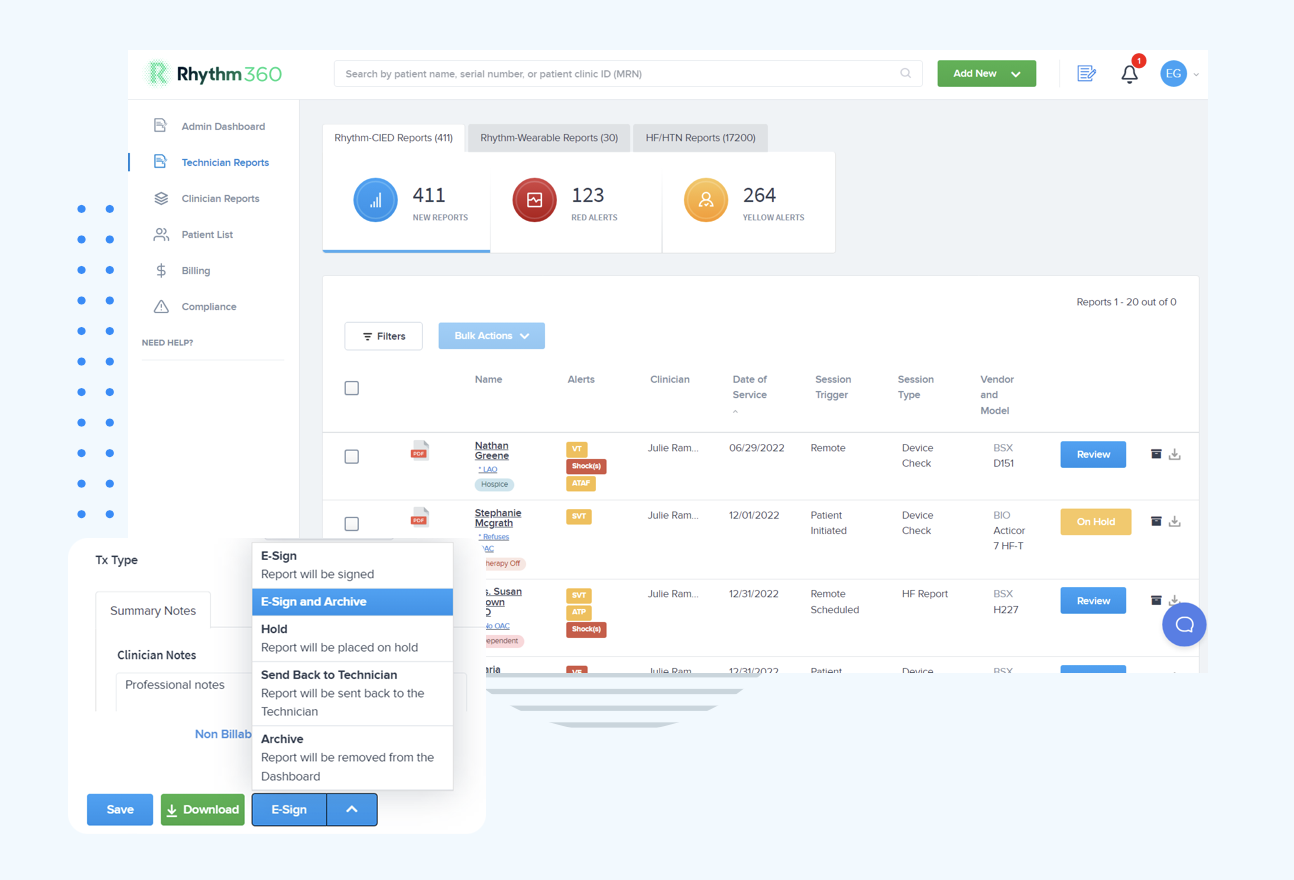
Rhythm360’s vendor-neutral platform streamlines Medtronic CIED monitoring by ingesting data through APIs and computer vision, then presenting it in a single dashboard. This unified view removes the need for multiple OEM portal logins and simplifies daily work for device clinics. The platform’s AI-powered triage system can cut alert response times by up to 80%, while automated billing capture has driven revenue gains of up to 300% in real-world programs. Clinical staff can also access complete patient data through secure mobile apps, which supports rapid response to critical events from any location.
A recent case highlights this impact in practice. A weekend HeartLogic alert showed new atrial fibrillation combined with weight gain, and Rhythm360’s mobile platform surfaced the event to the on-call physician within minutes. The physician started anticoagulation and adjusted diuretic therapy before Monday morning. This timely intervention prevented a likely hospitalization and showed how Rhythm360 closes the gap between device data and clinical action. See how Rhythm360 transforms your workflows with a personalized walkthrough of our platform.
Rhythm360’s redundant data feed system resolves common transmission failures by switching between primary and backup data sources when OEM servers experience downtime. This design supports more than 99.9% data reliability for CIED transmissions. When you apply pacemaker remote monitoring guidelines, define clear escalation protocols that assign specific alert types to specific team members. Start with conservative alert thresholds, then refine them based on patient-level patterns so you limit false positives while preserving clinical sensitivity.
Rhythm360 ingests OptiVol data from MyCareLink through API connections and computer vision parsing, then displays fluid index trends alongside other cardiac parameters. AI models correlate OptiVol changes with patient symptoms, activity levels, and medication adherence to give clinicians richer context. The platform generates automated alerts when OptiVol thresholds are exceeded and routes them through customizable escalation pathways that balance safety with reduced alert fatigue.
Heart Rhythm Society guidelines call for systematic enrollment of all eligible patients, standardized alert triage workflows, and regular review of device data for heart failure management. Key recommendations include 24–48 hour response protocols for heart failure alerts and monthly comprehensive reviews of transmitted data. The guidelines also highlight patient education, thorough documentation for billing, and close coordination between device clinics and heart failure specialists.
Alert fatigue improves when teams use filtering systems that surface only clinically actionable alerts and suppress routine notifications. Tiered alert structures work well, with critical events triggering immediate outreach and trending data grouped for scheduled review. AI tools that combine multiple parameters help cut false positives. Clear escalation rules and staff training support consistent responses, while periodic threshold adjustments based on patient patterns keep sensitivity and workload in balance.
Strong workflows connect MyCareLink Heart app entries with device telemetry to build monthly Heart Failure Management Reports. Train patients to log daily weights, symptoms, and medication adherence, then compare these entries with OptiVol trends and HeartLogic scores. Review app data during routine visits and respond promptly to symptom reports that suggest worsening status. Use in-app messaging for medication reminders and brief education that keeps patients engaged in their own care.
The primary CPT codes discussed in Practice #8, including 93298, 93299, and 99454, carry specific documentation standards. Practices must show evidence of enrollment, regular data review, and clinical decisions based on transmitted information. Records should also reflect patient communication related to findings and any resulting care changes. Automated billing systems help capture eligible services consistently while supporting CMS compliance.
Implementing these ten Medtronic CIED remote monitoring best practices can deliver the hospitalization reductions seen in recent trials while also supporting revenue growth through structured workflows and billing capture. Success depends on consistent enrollment, disciplined alert management, and unified platforms that remove friction from daily operations. Discover how Rhythm360 optimizes your practice with a personalized demonstration of our Medtronic CIED monitoring capabilities.