Most clinics start by fixing immediate Paceart failures so patient data can move again. Use these five steps to clear the most common issues:
These steps resolve many immediate Paceart transmission issues, but they only treat symptoms. Each fix requires manual intervention, and the same architectural weaknesses will generate repeat failures. To understand why these failures recur, clinics need to look at the structural limits that the activity log exposes.
The Paceart activity log serves as the main diagnostic tool for unmatched devices and session sync failures, yet the log also exposes deeper architectural limits. Out-of-sequence or duplicated HL7 messages in clinical integrations can cause results to populate the wrong patient record or be processed multiple times, which produces unmatched or duplicate device data in Paceart.
When Paceart receives a transmission from an OEM portal and cannot match the incoming serial number to an existing patient record, the session enters a pending or unmatched state. The activity log displays the session, but staff must resolve it manually before the data becomes clinically useful.
Timestamp synchronization failures across connected systems create gaps or misaligned records when device data arrives but cannot be correctly sequenced with other clinical information. In Paceart environments, this appears as sessions that show in the log but do not align with the correct scheduled transmission window, which forces staff to reconcile records by hand.
Version-specific vulnerabilities make these problems worse. Installations running versions earlier than 1.12 carry known sync defects that Medtronic has addressed in later patches. Even fully patched installations still operate as single points of failure. When the on-premise server goes down, all transmission processing stops. Legacy system incompatibility prevents older on-premise platforms from supporting modern integration methods, slowing data exchange and increasing transmission error rates in device monitoring workflows.
Transmission loss often hides behind normal daily volume. These signs indicate that a clinic is operating below reliable data capture thresholds:
Vendor-neutral cloud platforms solve Paceart transmission issues by replacing the on-premise architecture that creates them. Instead of routing data through a single local server that depends on manual matching and version-specific software, cloud platforms ingest data from all major OEMs such as Medtronic, Boston Scientific, Abbott, and Biotronik through API, HL7, XML, and computer-vision PDF parsing.
These feeds normalize data into a single unified record so staff no longer log into separate portals or re-enter information. Cloud-based RPM platforms enable continuous, real-time data collection and transmission from multiple devices or sources into a single centralized repository, and standardize data from different devices to eliminate silos and create consistent, usable information streams for care teams.
The operational contrast with legacy on-premise systems is direct. Paceart requires local server uptime, manual matching, version maintenance, and separate portal logins for each OEM. A modern cloud platform provides real-time dashboards accessible from any device, redundant data feeds that maintain transmission continuity during OEM server downtime, AI-powered alert triage that filters non-actionable notifications, and automated CPT documentation for codes including 93298 and 99454.
Cloud platforms also support bi-directional EHR integration with Epic, Cerner, Athenahealth, and other systems, plus an optional 24/7 certified cardiac technician oversight layer. Mobile access allows clinicians to review transmissions and sign reports from a smartphone, which removes workstation dependency and speeds weekend and after-hours response.
Cloud vendor-neutral platforms remove data silos at the structural level. When all OEM data flows into a single cloud-based record through redundant feeds, the system avoids single points of failure and removes the manual matching step that staff can miss or delay. Cloud-based platforms provide high availability through redundant cloud infrastructure with managed failover, automated backups, and automatic updates that deliver the latest features and security fixes without manual intervention.
Rhythm360 uses this redundant architecture with AI-powered data extrapolation to fill gaps when raw transmission data is incomplete, which produces a transmissibility rate greater than 99.9%. The platform cuts critical alert response times by up to 80%. That improvement directly affects patient outcomes. As Andrew Beaser, MD, at UCM explained: "We are able to address these issues earlier; rather than waiting for a 3-month visit, we can call patients in for evaluation."
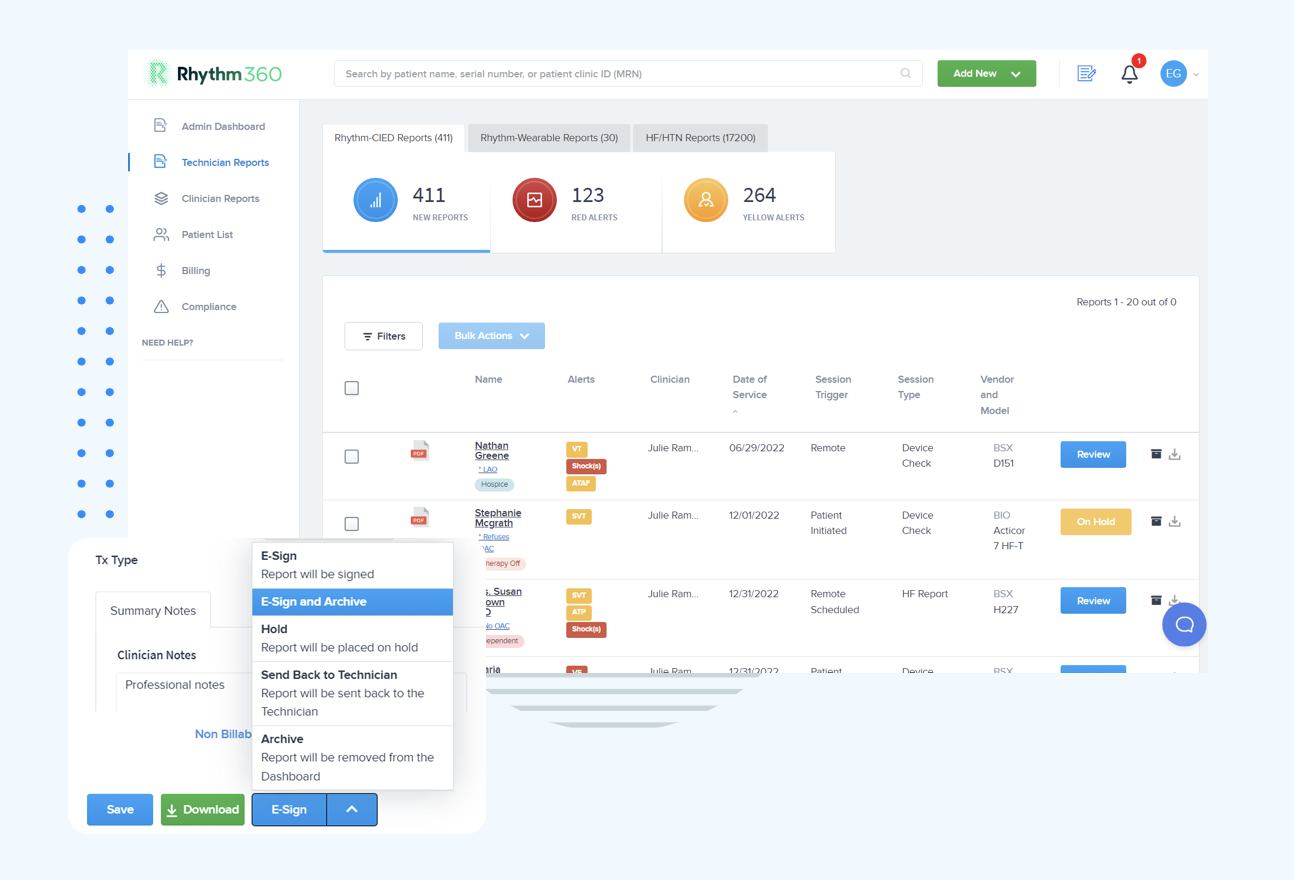
UCM's results at scale show how this works in practice. UCM reviewed more than 73,000 reports annually through Rhythm360 in calendar year 2025, averaging more than 18,000 reports per quarter, with stable dismissal rates and improved billing outcomes.
As Gaurav A. Upadhyay, MD, observed: "We have improved billing and accountability for our patients after the integration." Practices using Rhythm360 have reported revenue increases of up to 300% through stronger CPT code capture and fewer claim rejections.
Explore Rhythm360’s reliability in a live walkthrough to see how redundant cloud architecture outperforms on-premise systems.
Incomplete transmission records create compounding compliance exposure. OIG Data Snapshot OEI-02-23-00261 found that 43% of Medicare RPM enrollees lacked at least one required clinical billing component, including setup, data transmission, or treatment management claims. For cardiac device clinics, a dropped transmission is not only a missed billing event. It also becomes a documentation gap that can invalidate an entire monitoring episode under CMS standards.
The first False Claims Act settlement for RPM billing occurred in June 2025 in the Northern District of Georgia for $1.29 million, which confirms that OIG enforcement against programs with incomplete transmission or documentation records is active. Clinics that cannot produce complete audit trails for every billed transmission face recoupment risk and potential False Claims Act liability.
Code-level compliance adds another layer of risk. Practices continuing to bill CPT 99454 for patients transmitting fewer than 16 days of data after the January 1, 2026 code changes generate coding errors that OIG automated analysis will flag. Manual tracking of per-patient transmission day counts across a large device population does not scale without automated documentation support.
Clinics replacing or supplementing Paceart need platforms that fix root causes of transmission failure instead of recreating them in the cloud. Use this checklist to compare options:
Most Paceart session sync failures start with unmatched device serial numbers. An incoming transmission cannot link to an existing patient record and enters a pending state in the activity log. Other frequent causes include timestamp misalignment between the Paceart server and OEM portal data, outdated software versions with known sync defects, firewall or network changes that block outbound communication to OEM endpoints, and server downtime that stops transmission processing entirely. Because Paceart runs on-premise, clinic staff must identify and resolve each failure mode manually.
Cloud platforms reach high transmissibility by using redundant data feed architectures that keep ingesting data when a single OEM server goes down. Instead of one connection path, the platform maintains multiple channels such as API, HL7, XML, and computer-vision PDF parsing. If one pathway fails, others continue processing. AI-powered data extrapolation fills gaps in incomplete transmissions by cross-referencing available data points, and automated monitoring flags connectivity issues in real time. The result is a pipeline without a single point of failure.
When transmissions are lost, documentation for remote cardiac monitoring codes such as 93298, 93299, and 99454 often becomes incomplete or missing. CPT 93298 requires documentation of a physician or qualified healthcare professional review of a 90-day period of CIED data. CPT 99454 requires at least 16 days of physiologic data transmission within a 30-day period under current 2026 coding rules.
If transmission records cannot prove these thresholds, the claim is unbillable. Clinics must also document patient consent, a prior patient relationship, and clinical time for interactive management. Incomplete transmission records remove the ability to meet these requirements and expose the practice to audit findings and recoupment.
Implementation timelines vary by clinic size and EHR environment, but a well-designed cloud platform usually completes onboarding, including EHR integration with systems such as Epic, Cerner, or Athenahealth, within a few days to a few weeks. Clinics do not need to shut down Paceart immediately. Most teams run both systems in parallel during a transition period to protect continuity of patient records.
The main implementation dependencies include EHR integration configuration, OEM data feed authorization, and staff training on the new dashboard and alert workflows. Platforms with pre-built HL7 connectors and dedicated implementation support complete this process faster than solutions that require custom development.
Paceart transmission issues, session sync failures, and unmatched device records do not stem from minor configuration mistakes. They arise from an on-premise architecture that never anticipated multi-OEM data environments, real-time alert demands, or current CMS billing documentation standards. As Andrew Beaser, MD, at UCM noted: "Decision support, including AI-assisted decision support, will become increasingly important as data volumes grow." Legacy systems cannot scale to meet that demand.
Vendor-neutral cloud platforms solve these problems by replacing the constraints that create them. Redundant data feeds, automated matching, AI-powered triage, and compliance-ready documentation replace manual reconciliation, single points of failure, and version-dependent sync processes. Clinics gain faster critical alert response, higher revenue capture, lower staff burden, and audit trails that satisfy OIG scrutiny.
Request a Rhythm360 demo to see how reliable, AI-powered cardiac device data management removes the transmission failures that legacy on-premise systems cannot prevent.