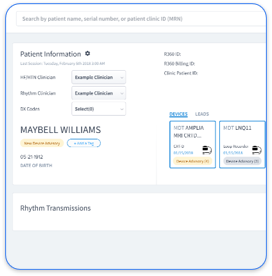
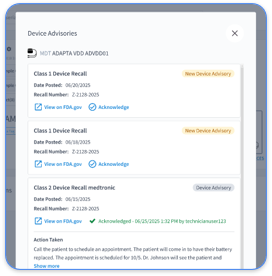
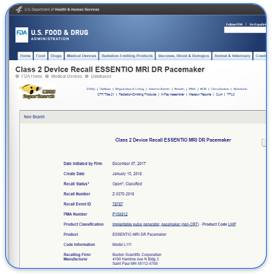
Portal fragmentation creates compounding risk at every stage of the monitoring lifecycle. When a device technician reconciles data across four or more manufacturer systems, the chance of a missed transmission confirmation or overlooked critical alert rises with every additional login. Gaurav A. Upadhyay, MD, FACC, FHRS, Director of the Pacing & Defibrillation Device Clinic at UCM, noted that staffing was "always an issue" because device clinics "had struggled with technician turnover and timely weekend coverage." That staffing pressure intensifies when each technician must master multiple proprietary interfaces instead of a single workflow.
On the financial side, CMS remote monitoring coverage requires documented transmission verification and clinician review within defined intervals. Without one system tracking those intervals across all vendors at once, billing leakage becomes unavoidable. The 2023 HRS Expert Consensus Statement addresses remote monitoring clinic staffing, workflows, patient education, and alert management, and siloed OEM portals cannot meet those unified standards. Consolidation into a single platform improves clinical safety, staff retention, and revenue capture at the same time.
Four prerequisites set the foundation for a successful unified monitoring rollout. First, obtain the complete implant report for every device, including model number, serial number, implant date, and programmed parameters. This data drives accurate portal enrollment and CPT interval tracking.
Second, confirm compliant data-sharing agreements with each OEM and verify that your platform vendor maintains a signed Business Associate Agreement. Third, assign clear staff roles: a Certified Cardiac Technician (CCT) as primary reviewer, a billing manager responsible for CPT documentation sign-off, and an IT contact for EHR integration credentials.
Fourth, audit your device mix to determine whether patients require bedside communicators (for example, Medtronic MyCareLink Monitor or Boston Scientific LATITUDE Communicator) or smartphone-based apps (for example, Abbott myMerlin). This audit matters because each setup path requires different patient education and technical support, and the setup method must appear in the patient record before transmission verification begins. Without that documentation, staff cannot tell whether a failed transmission reflects connectivity problems or an initial setup error.
Step 1 — Collect Implant Data and Patient Consent. Gather the full implant report at the point of care. Capture device model, serial number, lead configuration, and programmed sensing thresholds. Record written informed consent for remote monitoring and document the consent date in the EHR. Missing implant data at this stage remains the most common cause of failed OEM portal enrollment.
Step 2 — Enroll in Each OEM Portal. Register the device in the manufacturer portal using the serial number and implant date. For Medtronic, use CareLink; for Abbott, Merlin.net; for Boston Scientific, LATITUDE; for Biotronik, Home Monitoring Service. Each portal requires a separate patient profile. Common error: entering the implant date in the wrong format (MM/DD/YYYY vs. DD/MM/YYYY) causes enrollment rejection, so verify each portal’s date format before submission.
Step 3 — Configure Bedside Communicator or App per Brand. Pair the communicator or app to the device using the manufacturer’s protocol. Confirm the patient’s home Wi-Fi or cellular connectivity. Set the scheduled transmission time to align with your clinic’s review window. Common error: leaving the default transmission time at 3:00 AM when your clinic reviews alerts at 8:00 AM creates a same-day review gap, so adjust transmission schedules to match staffing hours.
Step 4 — Verify Transmission Success Rate Above 99%. Confirm that the first scheduled transmission is received and parsed correctly in each portal. A success rate below 99% at this stage signals a connectivity or pairing issue that staff must resolve before considering the patient actively monitored. Rhythm360’s redundant data feed infrastructure, including AI-powered gap-filling and computer vision PDF parsing, maintains greater than 99.9% transmissibility even when an OEM server experiences downtime.
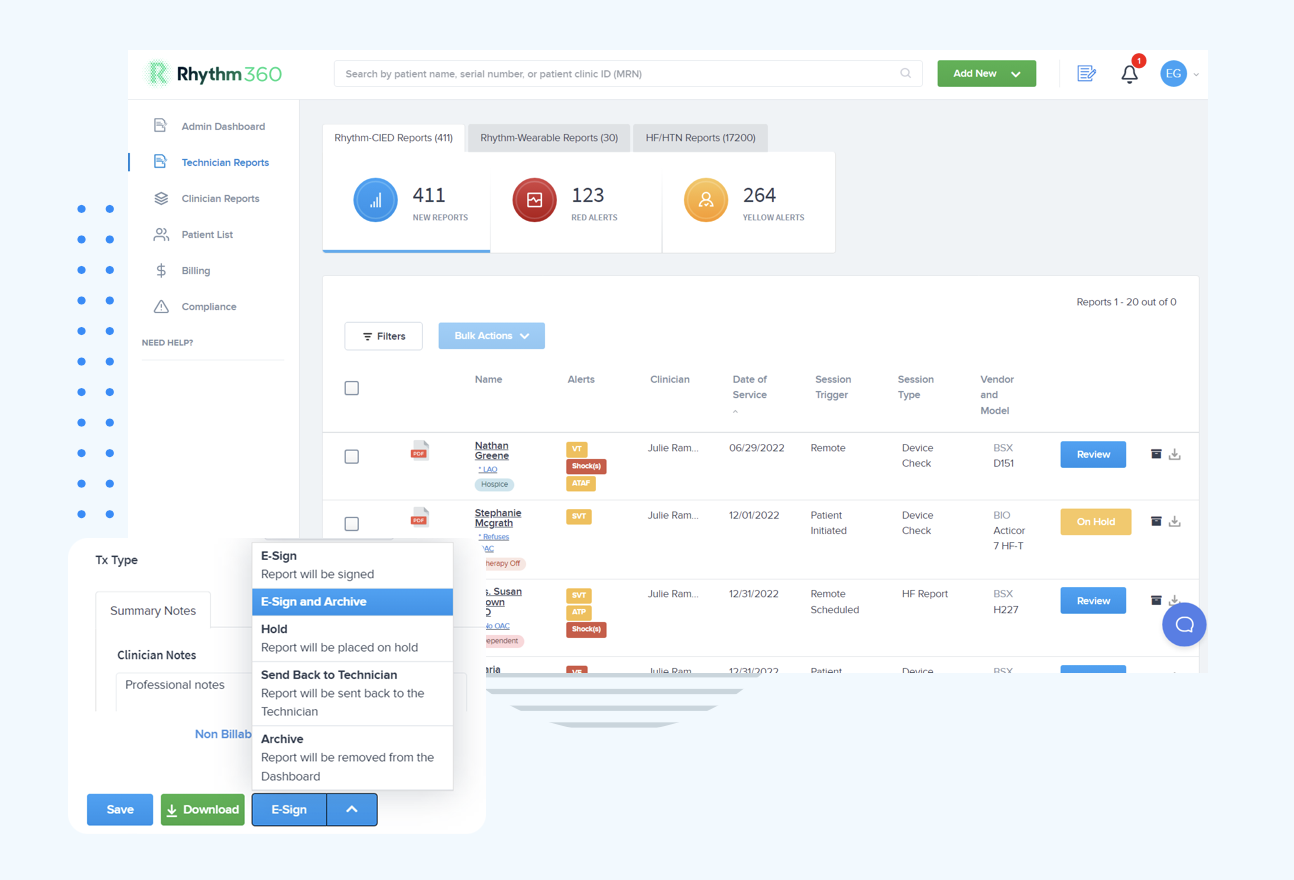
Schedule a demo to see Rhythm360’s transmission verification dashboard in action.
Step 5 — Map Data via HL7/API into the EHR. Configure the bi-directional HL7 or API connection between Rhythm360 and your EHR (Epic, Cerner, Athenahealth, eClinicalWorks, or others). Map device transmission data to the correct patient encounter and confirm that alert notifications route to the assigned clinician’s EHR inbox. Common error: failing to map device serial numbers to the correct MRN during integration creates duplicate patient records, so run a reconciliation audit after the first 48 hours of live data flow.
Step 6 — Activate Automated CPT Documentation. Enable Rhythm360’s automated CPT capture module to track billable intervals for codes 93294–93299 for device-specific remote monitoring and 99453–99457 for RPM physiological monitoring. The platform generates audit-ready documentation, including transmission timestamp, clinician review signature, and clinical summary, for each billable event. UCM reported improved billing and accountability for patients after integrating Rhythm360.
Each of the four major device manufacturers uses different setup methods and transmission schedules, which creates significant operational overhead for clinics that juggle multiple portals. The table below highlights those differences so you can see where a unified platform removes manual work.
| Vendor / Portal | Model Examples | Setup Method | Transmission Frequency / Portal URL |
|---|---|---|---|
| Medtronic / CareLink | Micra, Evoque, Azure, Cobalt | Bedside MyCareLink Monitor | Scheduled transmissions / carelink.medtronic.com |
| Abbott / Merlin.net | Gallant, Aveir, Assurity | Merlin@home bedside transmitter or myMerlin app | Scheduled transmissions / merlin.net |
| Boston Scientific / LATITUDE | Emblem, Resonate, Accolade | LATITUDE Communicator placed near the bedside | On a schedule set by the doctor via Boston Scientific remote monitoring system |
| Biotronik / Home Monitoring | Edora, Ilivia, Rivacor | CardioMessenger Smart cellular transmitter | Daily / biotronik.com/home-monitoring |
Raw alert volume from four OEM portals becomes clinically unmanageable without intelligent filtering. Most transmissions are routine and non-actionable, while a smaller group, such as new-onset atrial fibrillation, sustained ventricular tachycardia, elective replacement indicator (ERI), or lead impedance out of range, requires same-day or immediate response. Rhythm360’s AI-powered triage layer filters non-actionable noise and surfaces clinically significant events in a prioritized queue, delivering the response time improvements outlined earlier. UCM’s implementation of Rhythm360 enabled clinicians to review more transmissions daily and identify more abnormalities.
For practices that need around-the-clock coverage, Rhythm360’s optional 24/7/365 CCT oversight layer ensures that a critical Saturday morning arrhythmia alert reaches the on-call clinician within minutes, not the following Monday.
Rapid alert triage delivers only half of the value; the other half comes from capturing the billable revenue those interventions generate. CPT-compliant billing for remote CIED monitoring requires three documented elements per billable event: a confirmed device transmission, a clinician review with timestamp, and a clinical summary.
CMS coverage criteria for codes 93294–93299 specify review intervals, such as every 90 days for pacemakers and every 90 days for ICDs with remote interrogation, that clinics must track prospectively. Rhythm360’s bi-directional EHR integration with Epic, Cerner, Athenahealth, and eClinicalWorks pushes completed, signed reports directly into the patient encounter, which removes manual transcription work.
The platform’s automated CPT capture module tracks interval compliance across the entire device population at once and flags patients approaching billing deadlines before the window closes. Practices implementing Rhythm360 have achieved the revenue gains described earlier through two mechanisms: recovered billing leakage from better interval tracking and the addition of RPM service lines for HF and HTN patients under codes 99453–99457.
A solo EP practice implanting 50 devices per year faces different workflow priorities than a health system managing 5,000 active CIED patients. Smaller practices benefit most from Rhythm360’s turnkey onboarding, where EHR integration completes in days to weeks and SaaS pricing scales with patient volume instead of requiring large upfront infrastructure investment.
Larger systems gain the most from AI prioritization across high-volume alert queues. UCM processed more than 73,000 reports annually through Rhythm360, averaging more than 18,000 reports per quarter. For practices ready to expand beyond CIED monitoring, Rhythm360’s integrated HF and HTN RPM service lines, covering CardioMEMS pulmonary artery monitors, connected scales, and blood pressure cuffs, allow the same platform and billing infrastructure to support a broader chronic disease management program without adding new vendor relationships.
Operating across four separate OEM portals forces staff to maintain four credential sets, monitor four alert queues, and manually reconcile four data exports for every billing cycle. Rhythm360 consolidates this work into a single login, a single prioritized alert queue, and automated CPT documentation, achieving the same 80% response time reduction described earlier and recovering billing revenue that siloed portals structurally cannot capture. The operational gap between fragmented portals and a unified platform widens with every additional device brand in the practice’s implant mix.
Four metrics confirm that a unified monitoring workflow performs correctly after go-live. Track transmission success rate, with a target above 99%. Measure critical alert response time and aim for a substantial reduction versus your pre-platform baseline.
Monitor billable events captured per month and compare against pre-implementation numbers to quantify recovered revenue. Track staff hours redirected from manual portal reconciliation to clinical review. Establish baseline measurements for all four metrics before go-live and review results at 30, 60, and 90 days post-implementation. UCM’s post-implementation data showed stable dismissal rates at scale, confirming that high-volume monitoring does not degrade triage quality when supported by a unified platform.
Schedule a demo to review Rhythm360’s performance benchmarks with your team.
The onboarding process, including EHR integration setup, typically takes from a few days to a few weeks, depending on the EHR system and the complexity of the practice’s device mix. Rhythm360 supports Epic, Cerner, Athenahealth, eClinicalWorks, Greenway Health, and others via HL7, with a dedicated implementation team managing the technical configuration.
Yes. Rhythm360 includes a secure mobile application that allows electrophysiologists, NPs, PAs, and on-call clinicians to review transmissions, sign reports, and coordinate care from a smartphone. This access is particularly valuable for weekend and after-hours coverage, where delayed access to a workstation has historically created gaps in critical alert response.
CMS requires documented evidence of a device transmission, a clinician review with a timestamp, and a clinical summary for each billable remote monitoring event. Codes 93294 and 93296 cover pacemaker and ICD remote interrogation respectively, billed up to every 90 days. Codes 93295 and 93297 cover more frequent remote monitoring with clinician analysis. Rhythm360 automates the generation of audit-ready documentation for each of these codes, tracks interval compliance across the full patient population, and flags approaching billing deadlines before the window closes.
Yes. Rhythm360 includes distinct but integrated service lines for HF and HTN remote physiological monitoring, covering connected scales, blood pressure cuffs, and CardioMEMS pulmonary artery monitors. These service lines use the same platform infrastructure and billing automation as the CIED module and support CPT codes 99453, 99454, and 99457 for RPM services.
RhythmScience provides a structured implementation process that includes EHR integration configuration, staff training for device technicians and billing managers, and ongoing support from a dedicated customer success team. For practices that need clinical oversight, Rhythm360 also offers an optional 24/7/365 CCT monitoring service staffed by certified cardiac technicians supervised by physicians.
Schedule a demo to discuss your practice’s specific onboarding requirements with the Rhythm360 team.
The six-step playbook described above, which includes collecting implant data, enrolling in OEM portals, configuring communicators, verifying transmission, mapping data via HL7/API, and activating automated CPT documentation, transforms a fragmented multi-portal burden into a single, auditable, revenue-generating workflow. Practices that consolidate onto Rhythm360 eliminate redundant logins, achieve the alert response improvements outlined earlier, and recover billing revenue that siloed OEM portals cannot systematically capture. The operational case for a vendor-neutral platform strengthens with every additional device brand in the implant mix.