Last updated: September 23, 2026
Ready to replace manual steps with automation? See how Rhythm360 automates all seven steps
A clinic that implants devices from more than one manufacturer immediately inherits a fragmented operational stack. Medtronic's CareLink Network, Abbott's Merlin.net Patient Care Network, Boston Scientific's LATITUDE, and Biotronik's Home Monitoring are each manufacturer-specific portals, with separate logins, separate data formats, and no native interoperability. Staff must log into each system individually and then manually transcribe findings into Epic, Cerner, Athenahealth, eClinicalWorks, or Greenway.
Only 13% of total remote transmissions across a study of 32,721 patients at 67 U.S. device clinics contained clinical alerts, so staff spend most of their review time on transmissions that require no action. That volume drives alert fatigue, which desensitizes clinicians and increases the risk of delayed responses to the alerts that do matter.
The 2023 HRS/EHRA/APHRS/LAHRS consensus sets the workload framework for remote device clinics. It recommends reviewing high-priority alerts and taking appropriate action within 2 days, excluding non-consultation days, and it explicitly states that remote monitoring is not an emergency-response system. 47% of allied health clinicians reported their clinic was not adequately staffed for the transmission volume they were already handling, which manual workflows cannot close on their own.
Andrew Beaser, MD, Associate Professor of Medicine at University of Chicago Medicine, described pre-implementation workflows as “a major challenge and incredibly difficult.” Gaurav A. Upadhyay, MD, FACC, FHRS, Director of the Pacing & Defibrillation Device Clinic at UCM, added that “Staffing was always an issue for our center, because our device clinic — like many other medical centers — had struggled with technician turnover and timely weekend coverage.”
Manual enrollment requires staff to enter patient demographics, device model, serial number, and implant date separately into each OEM portal and again into the EHR. Errors at this stage propagate downstream into billing mismatches and missed transmissions. The automated alternative uses structured intake that registers the patient and device in one place, populates both the monitoring platform and the EHR at the same time, and removes duplicate entry.
A 2024 analysis published in Heart Rhythm O² found that 14% of patients with active CIED transmissions had interrupted connectivity, and clinics broadly defaulted to scheduled transmissions rather than alert-based monitoring. That pattern increases staff workload without improving outcomes. The automated alternative uses continuous connectivity monitoring with redundant data feeds that detect gaps and maintain data flow even when an OEM server is temporarily unavailable.
Medtronic, Boston Scientific, Abbott, and Biotronik each deliver data in proprietary formats, including structured APIs, HL7 feeds, XML exports, and unstructured PDFs. Manual normalization across these formats is time-consuming and error-prone. The automated alternative uses API integration, HL7 parsing, XML mapping, and computer vision or OCR for PDF extraction to normalize all incoming data into a single, consistent schema. Because that schema depends on continuous data flow, redundant data feeds keep the pipeline active if any single OEM server goes down and support the >99.9% transmissibility that high-volume clinics require.
University of Chicago Medicine reviewed more than 73,000 reports annually through Rhythm360 in calendar year 2025, averaging more than 18,000 reports per quarter, which becomes operationally unmanageable without automated normalization.
Reviewing a single remote transmission requires between 9.4 and 13.5 minutes of staff time for therapeutic devices. As noted earlier, only a minority of transmissions are actionable, so the math breaks at scale. The automated alternative applies AI-powered triage to classify each incoming transmission into a routing hierarchy of critical, urgent, routine, or administrative before it reaches a clinician.
Human-in-the-loop review stays in place. Trained staff adjudicate every flagged alert, while automation handles the sorting. This structure supports the 2-day review window described earlier for high-priority alerts.
Manual transcription from OEM portals into Epic, Cerner, Athenahealth, eClinicalWorks, or Greenway introduces latency, transcription errors, and duplicate documentation burden. 64% of practice leaders said their fax platform is not integrated with their EHR or practice management workflow, according to MGMA polling. The automated alternative uses bi-directional EHR interoperability so device data flows into the EHR automatically, and automated report generation produces signed, dated documentation that satisfies both clinical and billing requirements without manual re-entry.
As Dr. Beaser noted at UCM, “We are able to address these issues earlier; rather than waiting for a 3-month visit, we can call patients in for evaluation.”
Manual outreach, such as calling patients about missed transmissions, connectivity failures, or follow-up needs, consumes staff time and leaves no structured audit trail. The automated alternative uses platform-driven messaging that sends automated reminders and connectivity alerts to patients, logs every communication with a timestamp, and shows the full outreach history before a staff member places a manual call. That visibility eliminates redundant contact attempts.
Device-specific CPT codes carry strict frequency rules tied to device class, so billing the wrong code for the device type, missing a 30-day window, or failing to track the technical component generates denials and unrecovered revenue. The automated alternative addresses each of those failure points by tracking every patient's device class, monitoring period start and end dates, and applicable CPT pairing. This approach prevents device-type mismatch denials and ensures the technical component is captured on every eligible cycle.
Rhythm360 by RhythmScience consolidates all seven of these automated alternatives into one vendor-neutral, HIPAA-compliant remote patient monitoring platform. Other platforms in this category include Murj, Implicity, Rhythm Management Group, and Octagos.
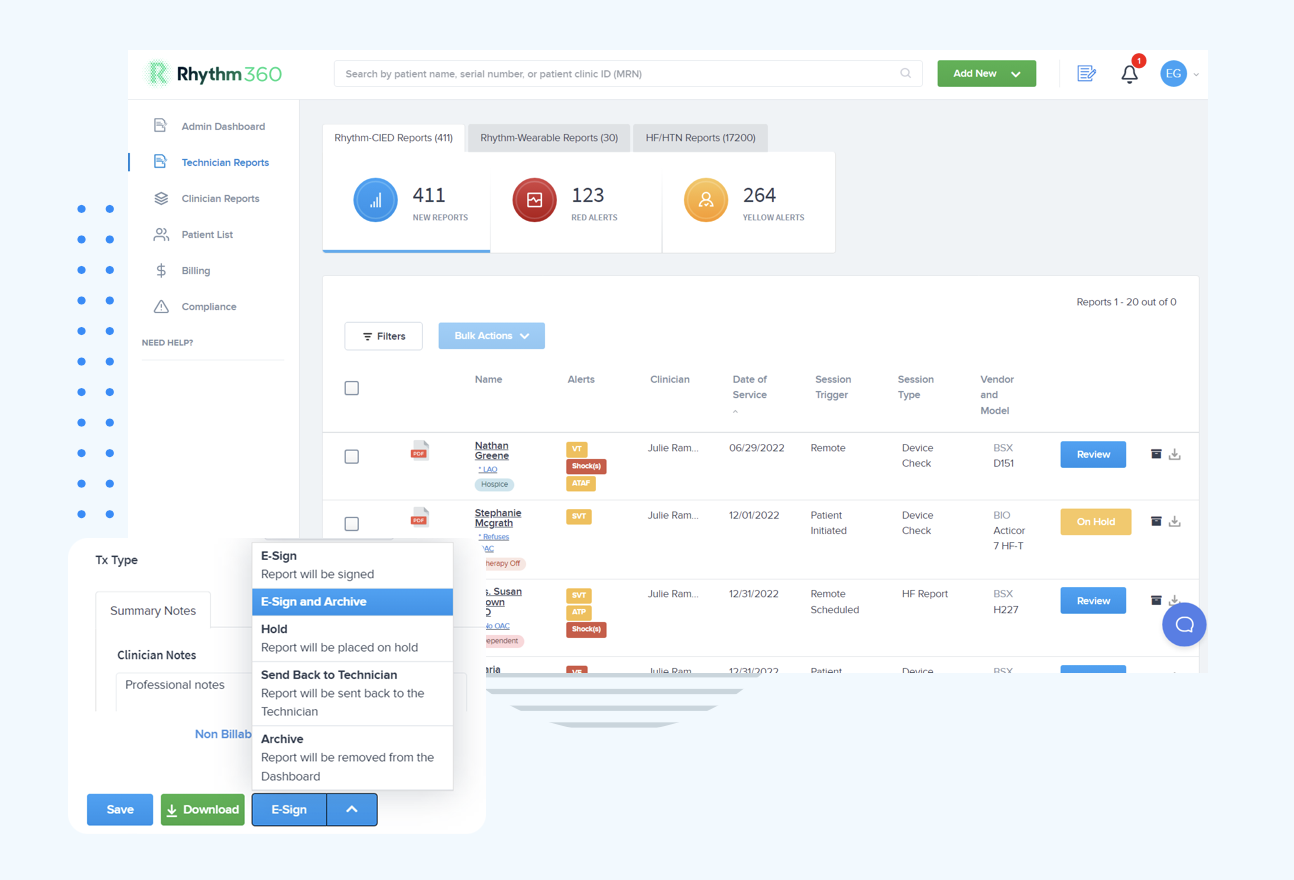
Explore the Rhythm360 platform
Step seven, billing capture, deserves a closer look because CPT cycle tracking is where automation has the most direct financial impact.
Remote CIED monitoring billing divides into two distinct cycle structures, and device-type mismatch between them is among the most common causes of claim denial.
Pacemakers and ICDs operate on a 90-day cycle. CPT 93294 is the professional component for remote pacemaker interrogation, CPT 93295 is the professional component for remote ICD interrogation, and CPT 93296 is the technical component covering remote data acquisition and distribution for both pacemakers and ICDs. The professional and technical split is central to clean claim construction. Modifier -26 is used by the physician or cardiology group billing only for analysis and the signed report. Modifier -TC is used by the entity billing for data acquisition and technician review.
Physiologic monitors and loop recorders operate on a 30-day cycle and use device-specific codes rather than a professional and technical pair. CPT 93297 covers remote interrogation of an implantable cardiovascular physiologic monitor, such as CardioMEMS. CPT 93298 covers remote interrogation of a subcutaneous cardiac rhythm monitor or implantable loop recorder, including devices such as the Medtronic LINQ II, Abbott Assert-IQ, Boston Scientific LUX-Dx, and Biotronik BIOMONITOR. Each is billable once per 30 days and can be billed global, with modifier -26, or with modifier -TC. Reporting 93297 for a loop recorder or 93298 for a physiologic monitor creates a device mismatch that triggers denial.
Automated tracking of device-specific CPT pairings prevents device-type mismatch denials and ensures unbilled technical components are captured on every eligible cycle. As Dr. Upadhyay observed at UCM, “We have improved billing and accountability for our patients after the integration.” Rhythm360 supports this by automating cycle tracking and documentation, which improves billing and revenue outcomes without functioning as a full revenue cycle management service.
Automation handles routing and administrative work. Clinical decisions such as adjudicating alerts, interpreting device data, and determining treatment remain with trained staff. The 2023 HRS/EHRA/APHRS/LAHRS consensus sets a clear boundary that remote monitoring is not an emergency-response system and that high-priority alerts should be reviewed and acted upon within 2 days, excluding non-consultation days. Automation respects those boundaries and supports teams in meeting them.
Connectivity failures remain a real operational risk, as the connectivity gap described earlier shows. Redundant data feeds and continuous connectivity monitoring reduce that risk, though some exposure remains. Staff still own the clinical judgment required when a transmission is delayed, incomplete, or absent. Research presented at the 2026 EHRA Congress found that even in AI-equipped implantable cardiac monitors, 32.9% of episodes were still non-actionable and another 30.6% were deemed indeterminate, which reinforces that AI triage reduces burden but does not replace clinical review. As Dr. Beaser noted, “Decision support, including AI-assisted decision support, will become increasingly important as data volumes grow.”
With those boundaries in place, the next step is planning a smooth shift from manual to automated monitoring.
The seven automated alternatives do not need to go live at once. A phased rollout lets staff validate each layer before the next is added. The roadmap below groups the seven steps into three 30-day phases.
Days 1–30: Consolidate OEM data intake. Connect Medtronic, Boston Scientific, Abbott, and Biotronik feeds into the single work queue. Establish the normalized patient and device registry. Remove the multi-portal login requirement for daily operations.
Days 31–60: Activate automated alert triage and EHR write-back. Configure the routing hierarchy of critical, urgent, routine, and administrative, and enable bi-directional integration with Epic, Cerner, Athenahealth, eClinicalWorks, or Greenway. EHR integration and onboarding with Rhythm360 typically take a few days to a few weeks.
Days 61–90: Turn on automated CPT cycle tracking and patient outreach. Assign device-specific CPT pairings to each enrolled patient, activate 30-day and 90-day cycle monitoring, and enable automated patient messaging with full audit-trail logging.
This sequencing allows clinical staff to validate each layer before the next is added, preserving operational continuity throughout the transition. For a quick reference, the table below summarizes how each manual step compares to its automated alternative.
The table below maps each of the seven manual steps to its automated alternative so you can see where the operational burden shifts.
| Workload Area | Manual Process | Rhythm360 Automated Alternative |
|---|---|---|
| Patient Enrollment & Device Registration | Separate entry into each OEM portal and EHR | Single structured intake populating platform and EHR simultaneously |
| Connectivity & Transmission Monitoring | Manual detection of missed transmissions | Continuous connectivity monitoring with redundant data feeds |
| Multi-OEM Data Intake & Normalization | Manual retrieval and transcription from separate portals | API, HL7, XML, and PDF or OCR normalization into one work queue |
| Alert Triage & Work-Queue Routing | Staff manually sort all transmissions regardless of acuity | AI-powered triage routing to critical, urgent, routine, or administrative lanes with human review preserved |
| Documentation & EHR Write-Back | Manual transcription into Epic, Cerner, Athenahealth, eClinicalWorks, Greenway | Bi-directional EHR integration with automated report generation |
| Patient Communication & Outreach | Manual calls with no structured audit trail | Automated messaging with a full communication audit trail and outreach history visible before manual calls |
| Billing Capture & Cycle Tracking | Manual tracking of device-specific CPT pairings and monitoring periods | Automated tracking of 90-day cycles (93294, 93295, 93296) and 30-day cycles (93297, 93298) plus 99454 for RPM |
The questions below address the operational details practices ask about most often when they evaluate automation.
Remote patient monitoring in cardiology relies on a combination of OEM-specific portals and third-party aggregation platforms. Major device manufacturers such as Medtronic, Boston Scientific, Abbott, and Biotronik each operate their own web-based portals for retrieving CIED transmission data. Third-party platforms such as Rhythm360 sit above these portals, ingesting and normalizing data from all OEM sources into a single vendor-neutral work queue.
These platforms typically integrate with EHR systems including Epic, Cerner, Athenahealth, eClinicalWorks, and Greenway via HL7 and API connections. For chronic disease management, RPM platforms also support wearable and connected device data for conditions such as heart failure and hypertension, with billing supported under CPT codes including 99453, 99454, 99457, and 99458.
The most clinically significant limitation of remote patient monitoring is that it does not transfer clinical judgment from trained staff to the monitoring system. Connectivity failures still occur because patients may not transmit on schedule, home communicators may go offline, and OEM servers may experience downtime. When a transmission is delayed or absent, the monitoring platform cannot substitute for a clinician's assessment of whether the gap is technically caused or clinically significant.
The 2023 HRS/EHRA/APHRS/LAHRS consensus sets a clear boundary that remote monitoring is not an emergency-response system and that high-priority alerts require human review within 2 days, excluding non-consultation days. Redundant data feeds and continuous connectivity monitoring reduce the risk of missed transmissions, but staff remain responsible for clinical decisions at every step of the workflow.
The most common cause of remote monitoring claim denial is a mismatch between the device type implanted and the CPT code billed. Pacemakers and ICDs use a 90-day billing cycle with professional codes 93294 and 93295 and technical code 93296. Implantable cardiovascular physiologic monitors such as CardioMEMS use CPT 93297 on a 30-day cycle. Subcutaneous cardiac rhythm monitors and implantable loop recorders use CPT 93298 on a 30-day cycle. Billing 93298 for an ICD patient, or 93297 for a loop recorder patient, generates an automatic denial.
Additional denial triggers include:
Automated cycle tracking that assigns the correct CPT pairing to each enrolled device and monitors period start and end dates provides the most reliable operational control against these errors.
Implementation timelines vary by practice size, EHR system, and the number of OEM data feeds being connected. For Rhythm360, EHR integration and onboarding typically take a few days to a few weeks. A structured 90-day migration that consolidates OEM data intake in the first month, activates alert triage and EHR write-back in the second, and enables CPT cycle tracking and patient outreach in the third allows clinical staff to validate each layer before the next is added.
This phased approach preserves operational continuity and avoids the disruption of a simultaneous cutover across all workflow areas.
Each of the seven automation alternatives described in this guide can be assembled piecemeal with separate tools for alert triage, EHR integration, patient messaging, and billing cycle tracking. That approach creates coordination overhead, data handoffs between systems, and gaps in the audit trail. A single integrated platform that consolidates all seven automated alternatives into one vendor-neutral, HIPAA-compliant remote patient monitoring platform reduces that friction while clinical decisions remain with trained staff throughout.
Rhythm360 is built for that purpose. Practices using Rhythm360 have achieved up to an 80% reduction in critical alert response times and up to a 300% increase in revenue capture, which reflects what becomes possible when teams replace manual steps systematically rather than selectively.